
Every week, Eagr proposes an objective to work on, based on your weekly pulse. The manager validates and adjusts the team's objectives, and everyone can set a personal focus. It all happens on your Home page.
User: your objectives of the week
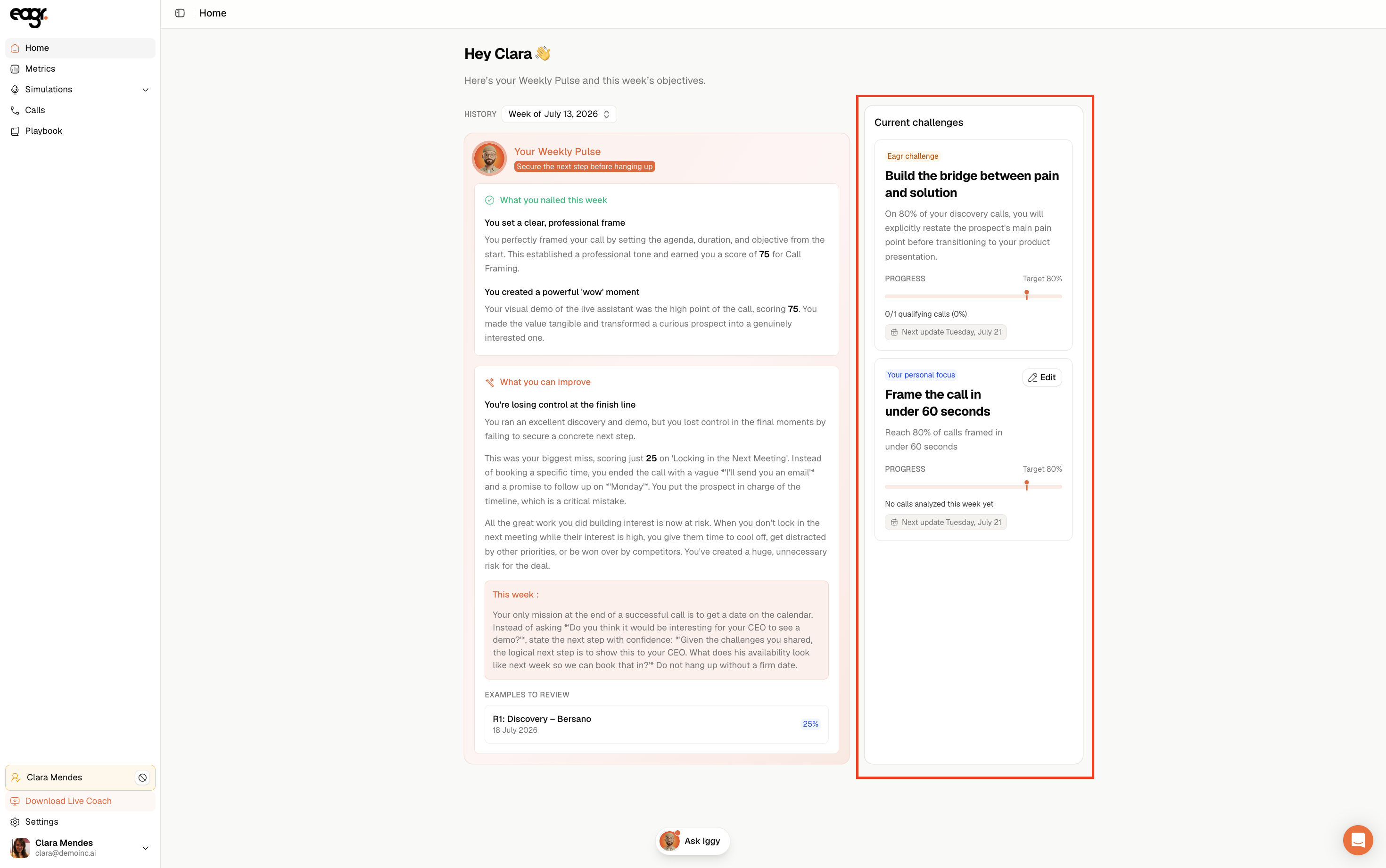
On your Home page, the Current challenges block shows two objectives:
- Your weekly challenge: the objective set by your manager.
- Your personal focus: an objective you set yourself (click Edit to define it).
Each objective shows your progress toward a target (for example 80%) and the next update date.
Manager: validate the team's objectives
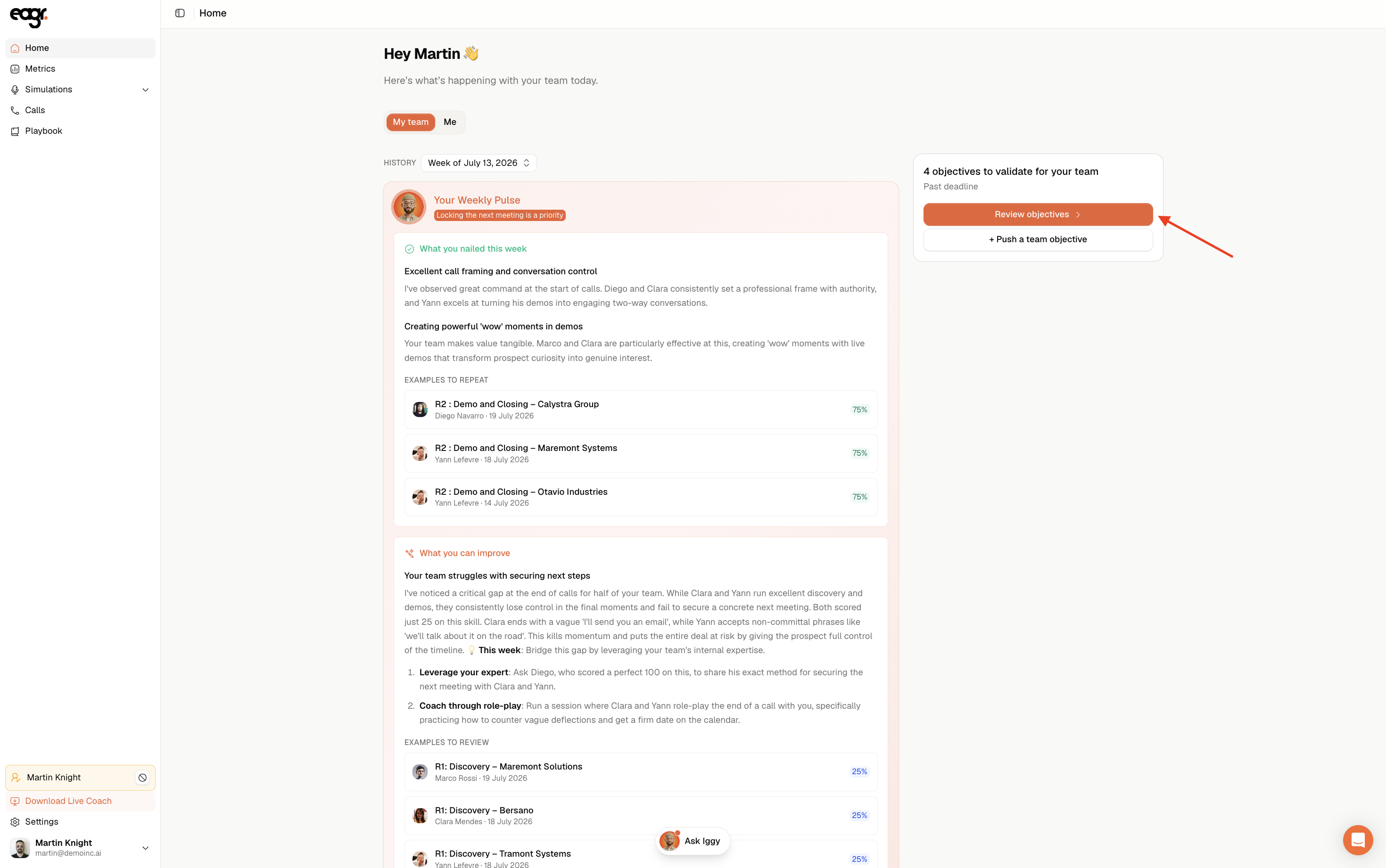
Every Friday, Eagr asks you to set your team's objectives for the coming week and proposes one per rep. From your Home page, click Review objectives.
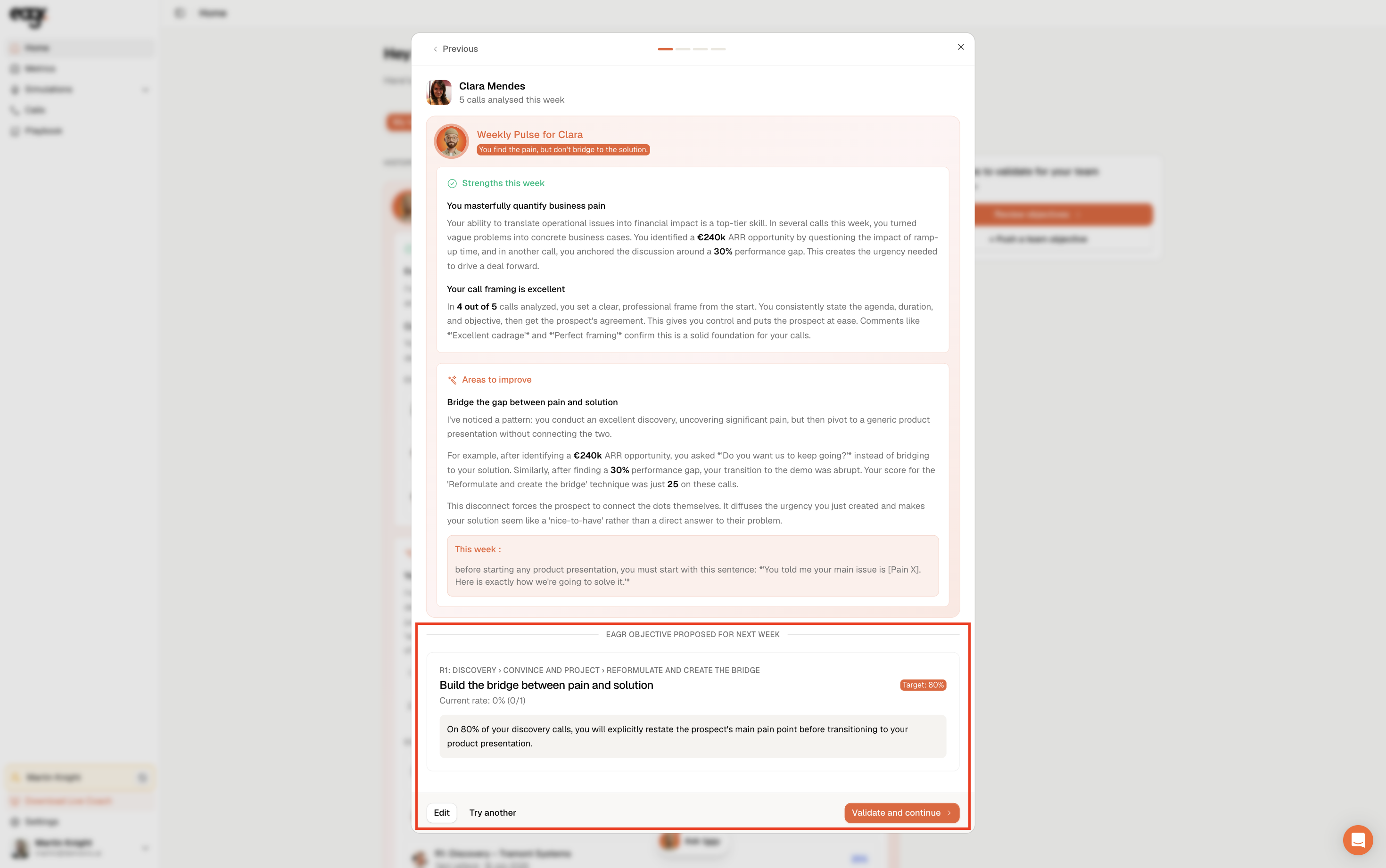
For each rep, you first see the weekly pulse they'll receive, then the objective proposed by Eagr (with its target). You can Validate and continue, Edit the target, or choose Try another to have a different one proposed by chatting with the AI.
Manager: push a team objective
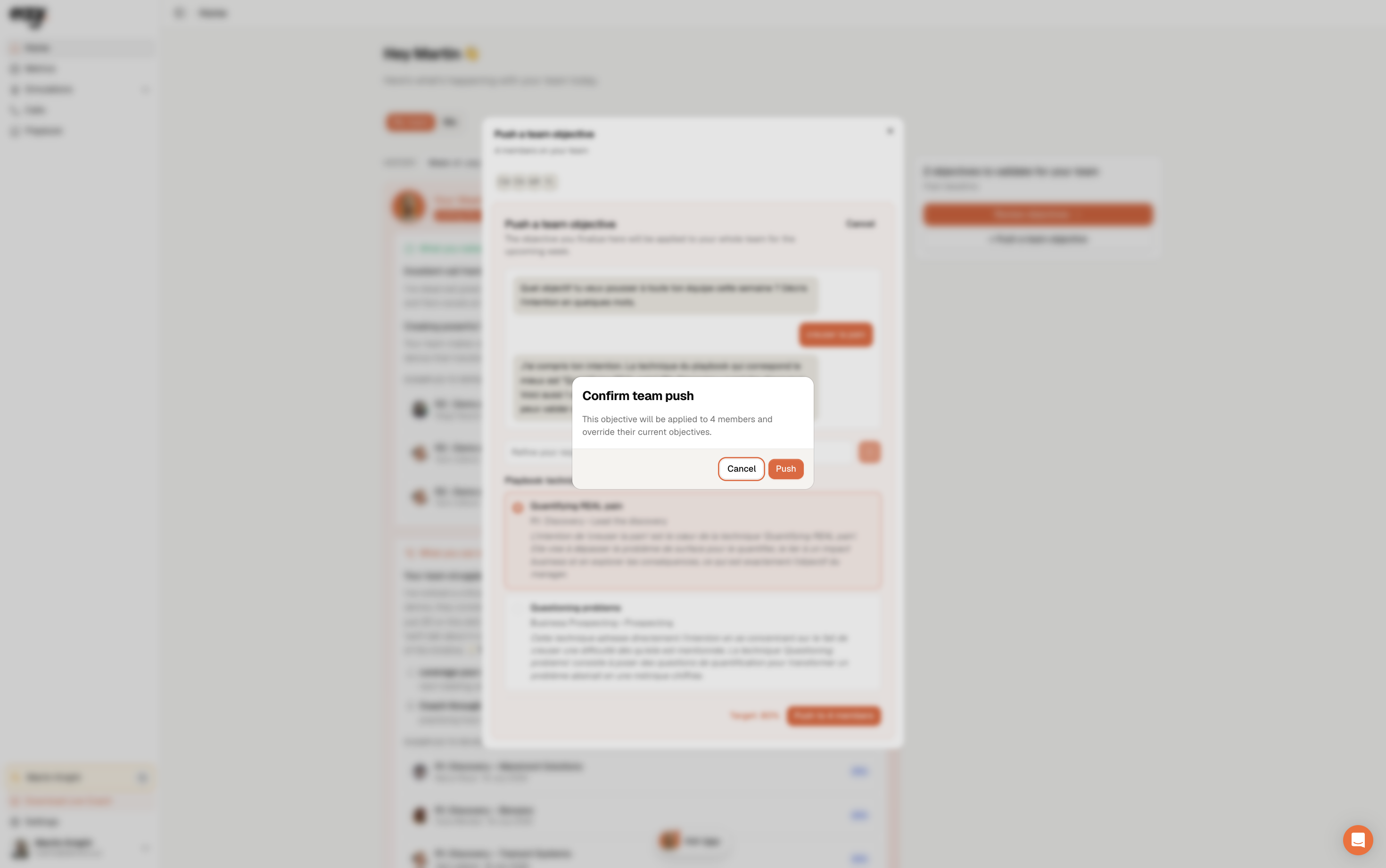
You can also set a shared objective for the whole team: + Push a team objective, then chat with the AI to define it.
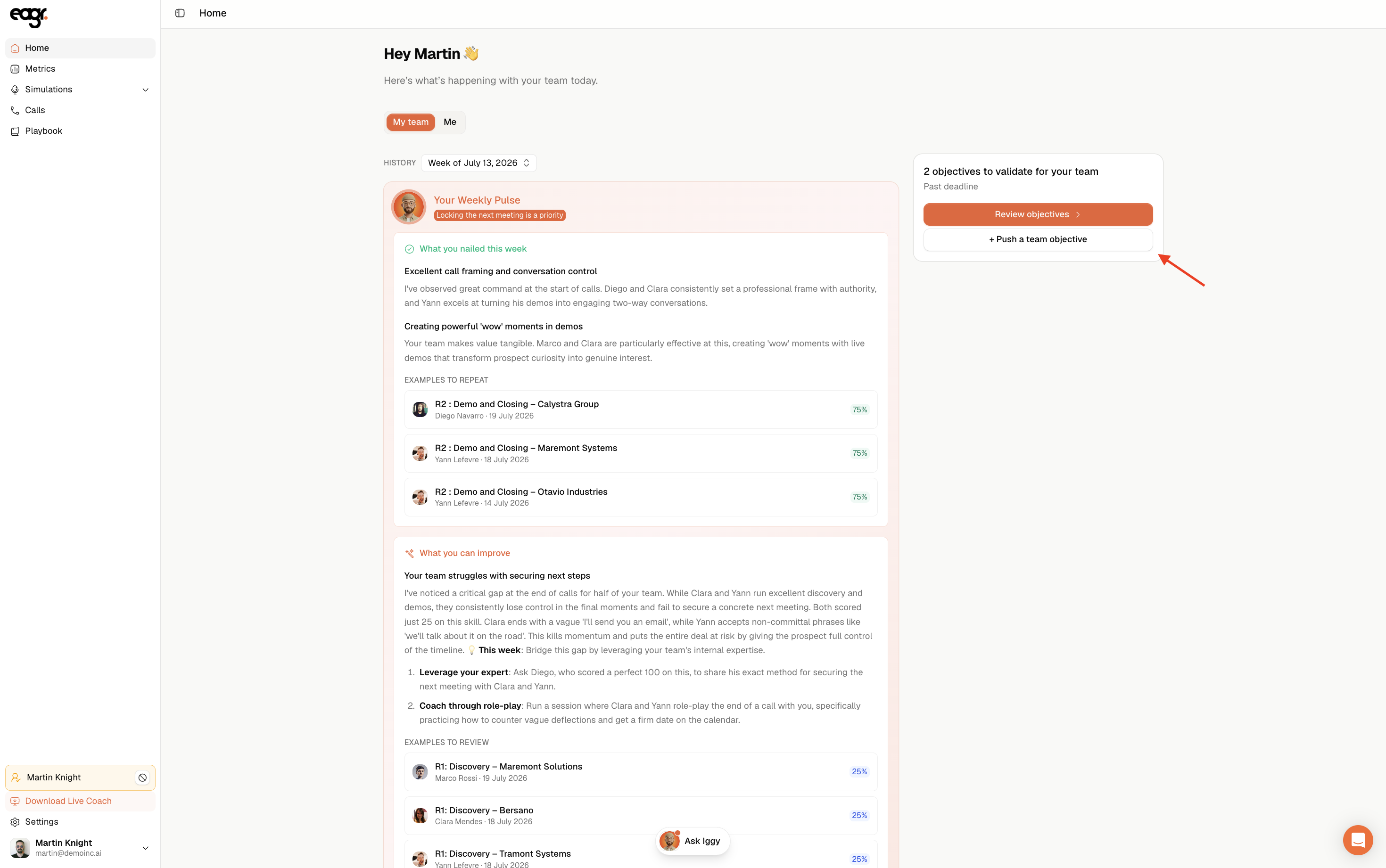
A team objective overrides the individual objectives of the members involved.
Track the objectives
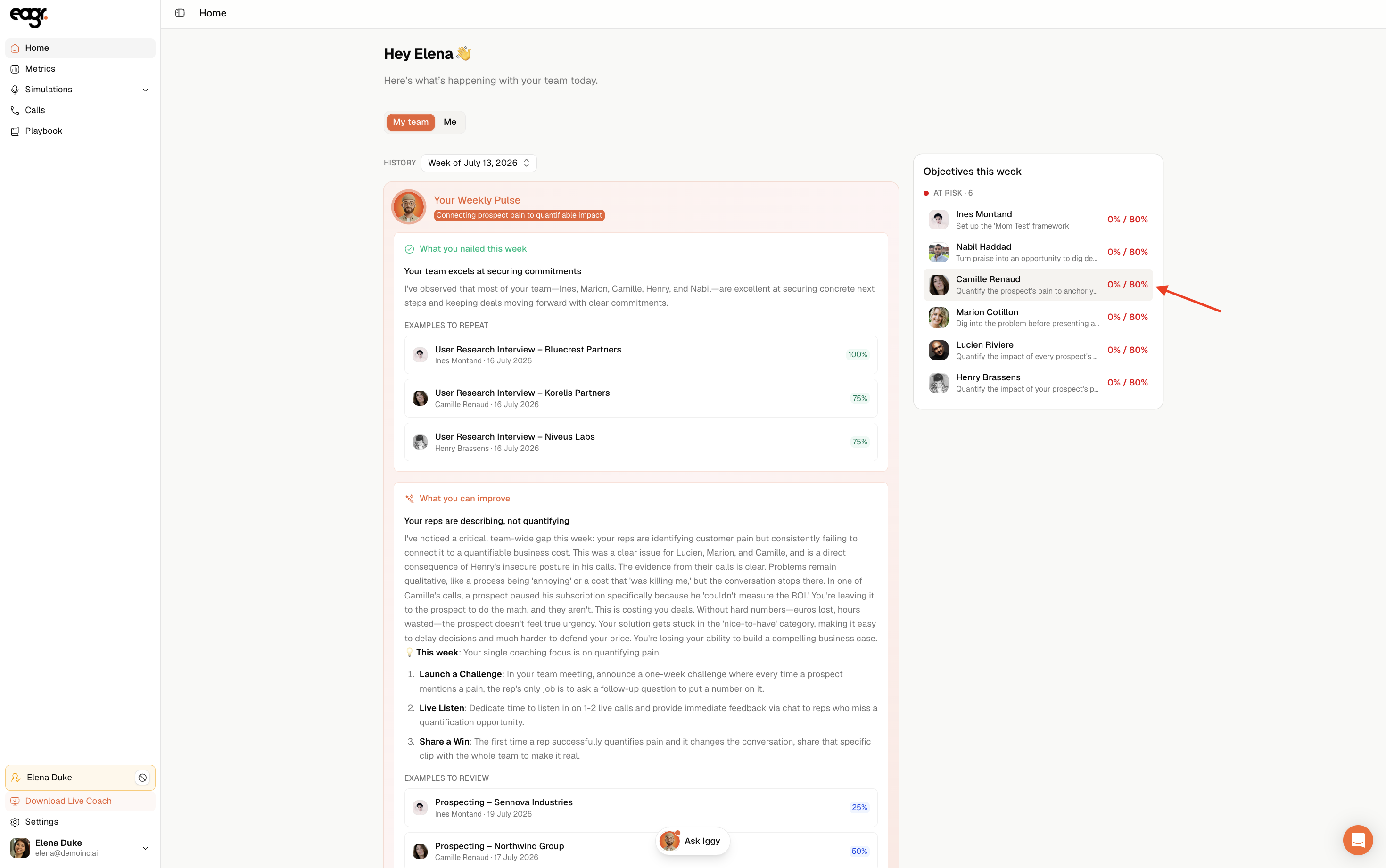
Once validated, objectives are tracked live on Home, in Objectives this week: each rep, their objective and their progress toward the target, with a status showing whether they're on track or at risk.
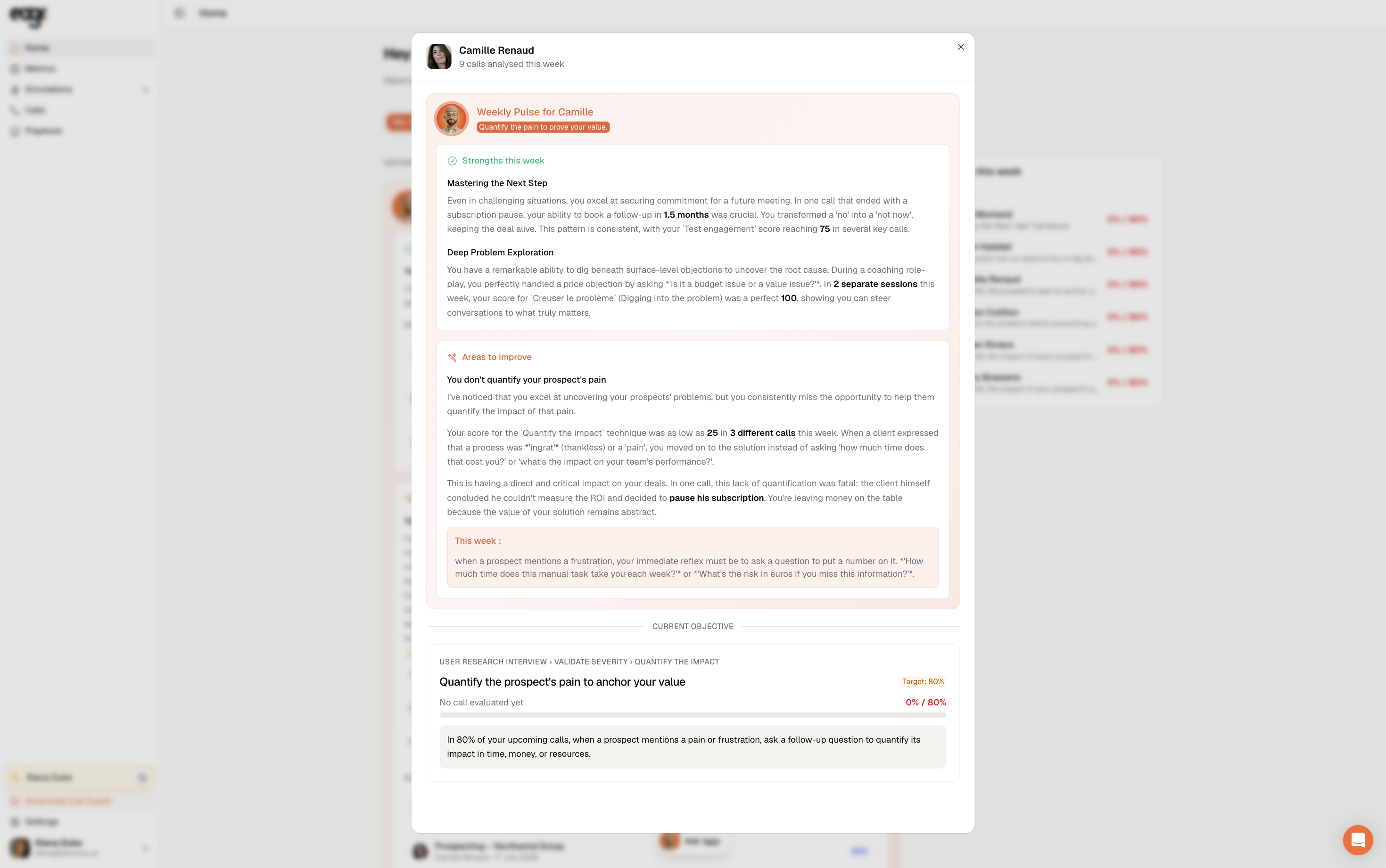
Objectives are set between Friday and Monday, and become available on Monday morning, at the same time as the weekly pulse.