
The weekly pulse is your weekly coaching recap, written by Iggy, Eagr's AI assistant. You'll find it on your Home page.
Who has a weekly pulse
Everyone has a weekly pulse. What you see depends on your place in the team:
- With no team attached: you have your individual weekly pulse, about your own performance.
- As a manager: by default, you see your team's weekly pulse. You also have your individual weekly pulse as soon as you record calls or run simulations. Switch between the two with the My team / Me selector.
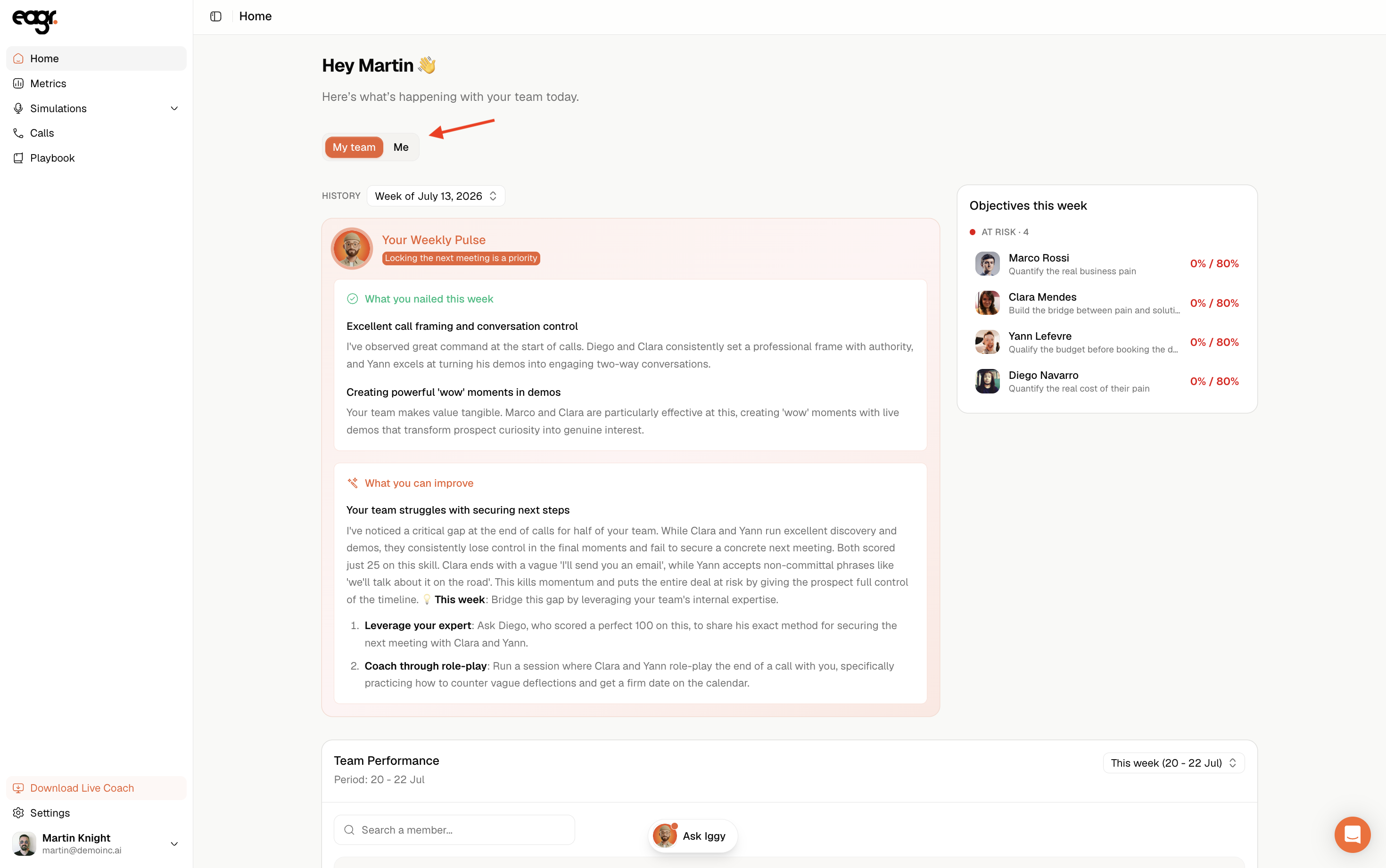
What's in it
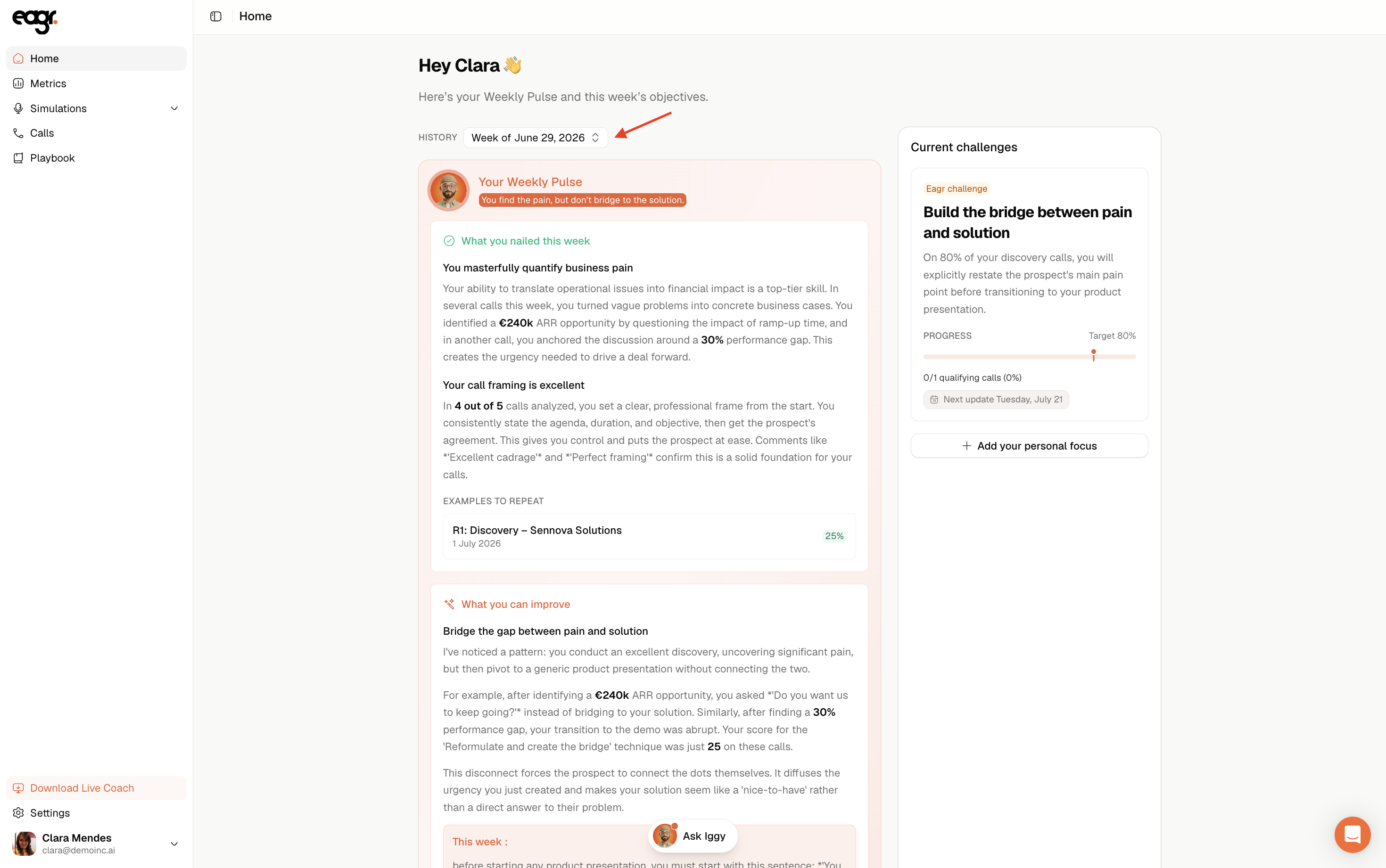
Every week, the weekly pulse highlights:
- One key insight: the takeaway of the week.
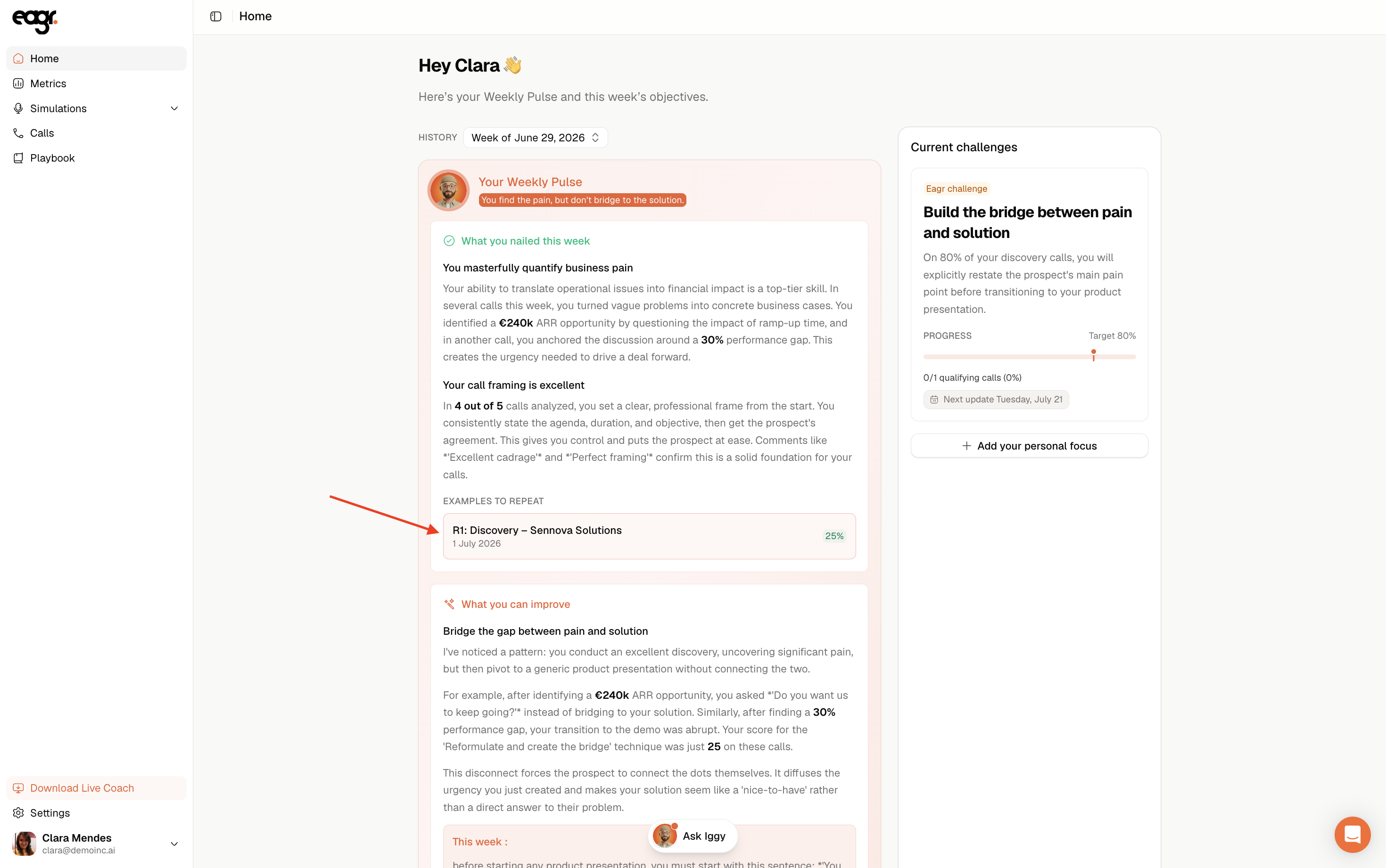
- What you nailed (or your team): the strengths, with concrete examples.
- What you can improve: the priority topic to work on, with a concrete action to run this week.
The weekly pulse gives you a single coaching focus per week. Work on that one rather than fixing everything at once.
Calls to re-listen to, at the right moment
To back up each point, the weekly pulse suggests example calls: good ones as well as calls to improve. Click one: a side panel opens and takes you straight to the exact moment of the call. You spot what happened in seconds, without replaying the whole call.
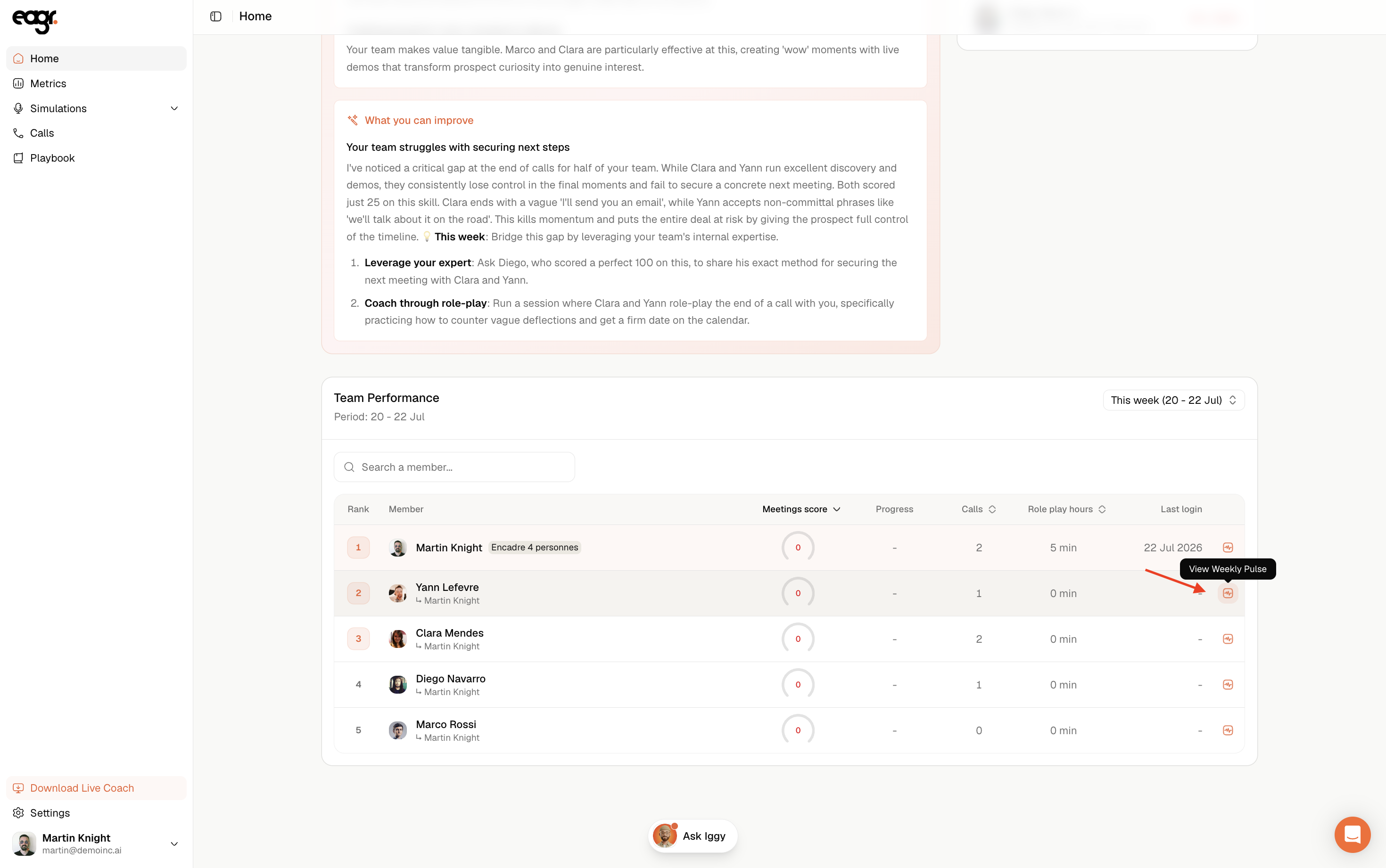
Manager: each rep's weekly pulse
From the Team Performance table on your Home page, you can open each member's weekly pulse: click the View Weekly Pulse icon on their row.
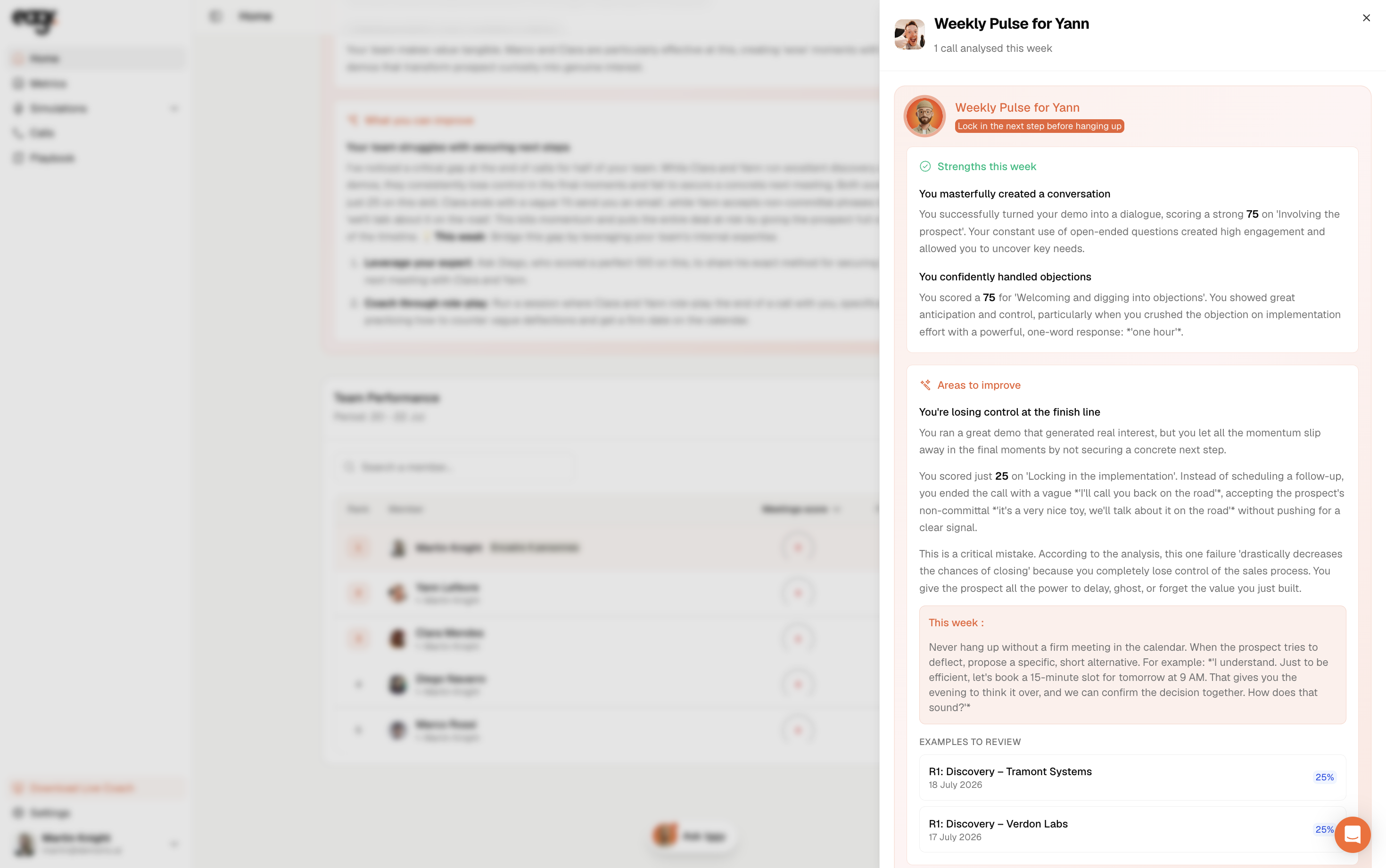
It opens in a side panel, with their strengths, areas to improve and calls to review.
Finding a previous weekly pulse
You're not limited to the current week: the History selector, at the top of your weekly pulse, lets you reopen a past week's and track how things evolve.
Which language it comes in
Your weekly pulse is in your account language. If you're a manager and you open the one of a rep who works in a different language, it's shown to you translated into yours (see Change the language of your analyses and reports).
Not seeing it?
The weekly pulse needs activity to exist: with no analyzed calls or simulations during the week, there's nothing to synthesize. If you did have activity and it stays empty, email us at support@eagr.ai.