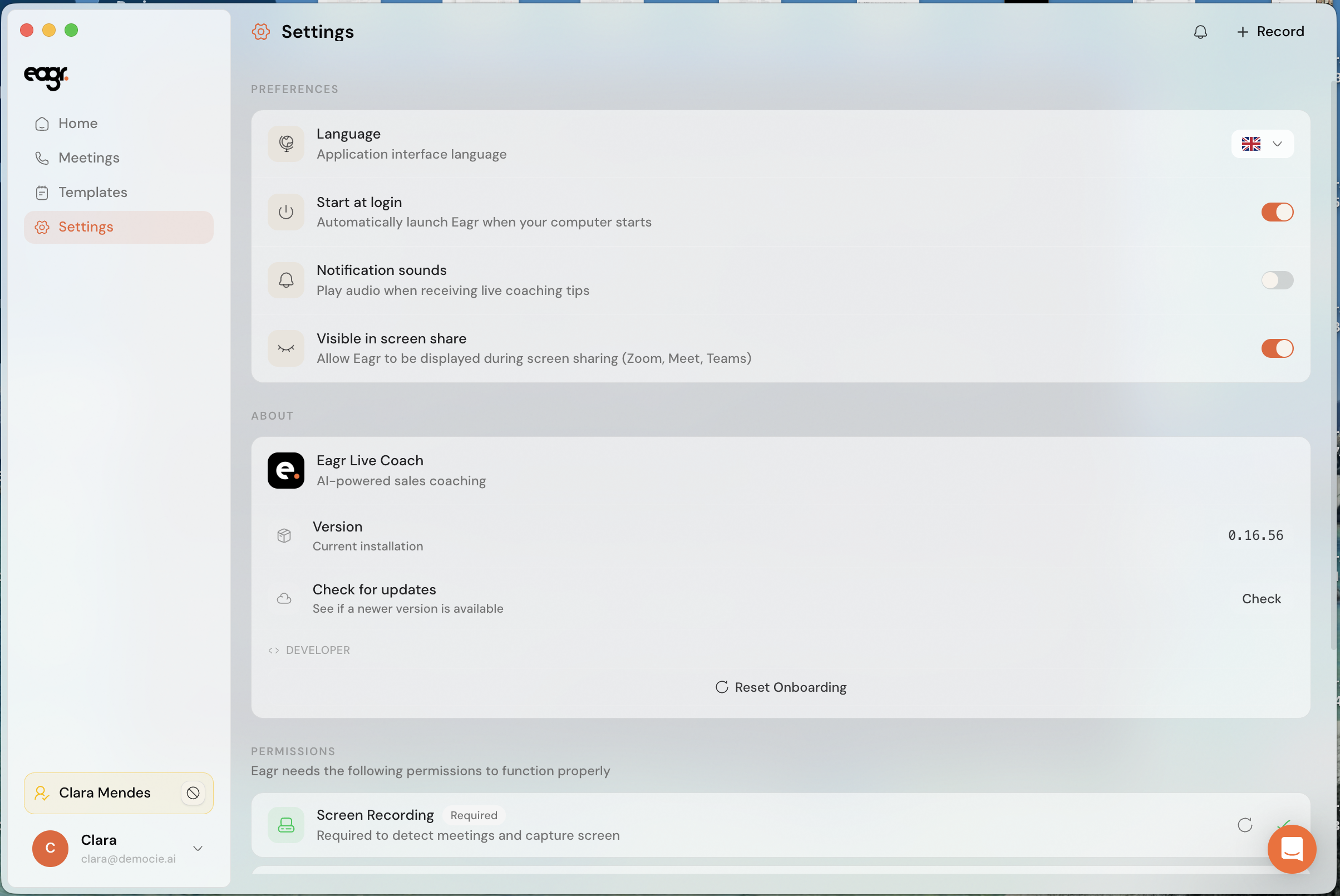
Eagr is available in several languages. Language is a personal setting: everyone picks their own, and it only affects your account.
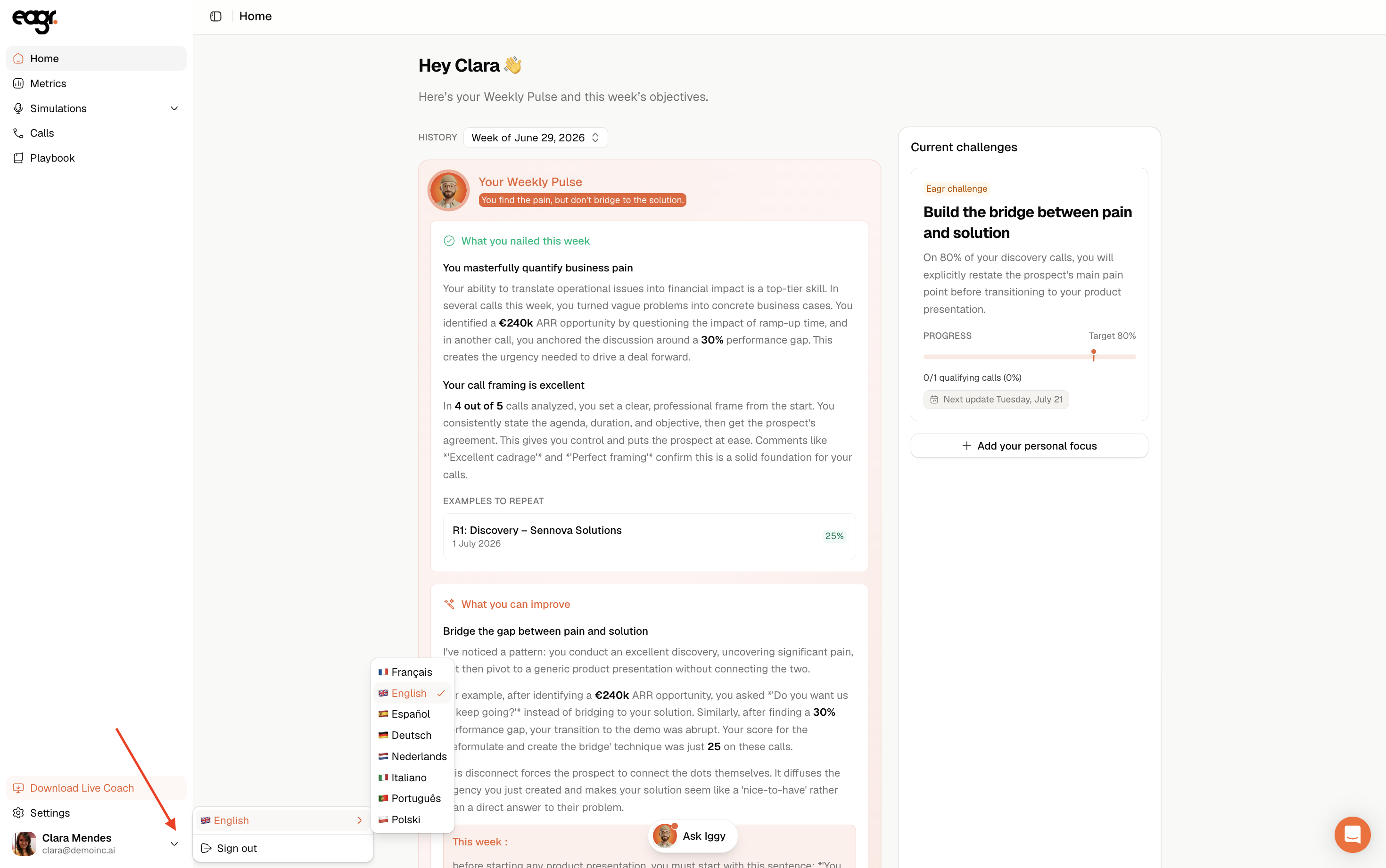
Changing your language
Click your profile, then choose your account language.
What this setting changes (and what it doesn't)
This setting changes the language of the interface: Eagr's menus, buttons and labels.
However, your call analyses are generated in the language of the call (the transcript's), not your account's. Likewise, the competencies and labels from your playbook stay in the playbook's original language.
If your playbook only exists in one language and you need its translation, email us at support@eagr.ai: we'll add it.
Weekly pulse and teams
Your weekly pulse is in your account language. If you're a manager and you open the weekly pulse of a rep who works in a different language than yours, it's shown to you translated into your language.
The Live Coach language
The Live Coach app (on desktop) has its own language setting, independent from the web. Open its Settings to change it (see Getting started with the Live Coach).