
After each recorded call, Eagr gives you a full analysis: a summary, a score per skill, your missed moments and advice. You'll find all your analyses in the Calls menu. Here's how to read one.
Iggy's analysis
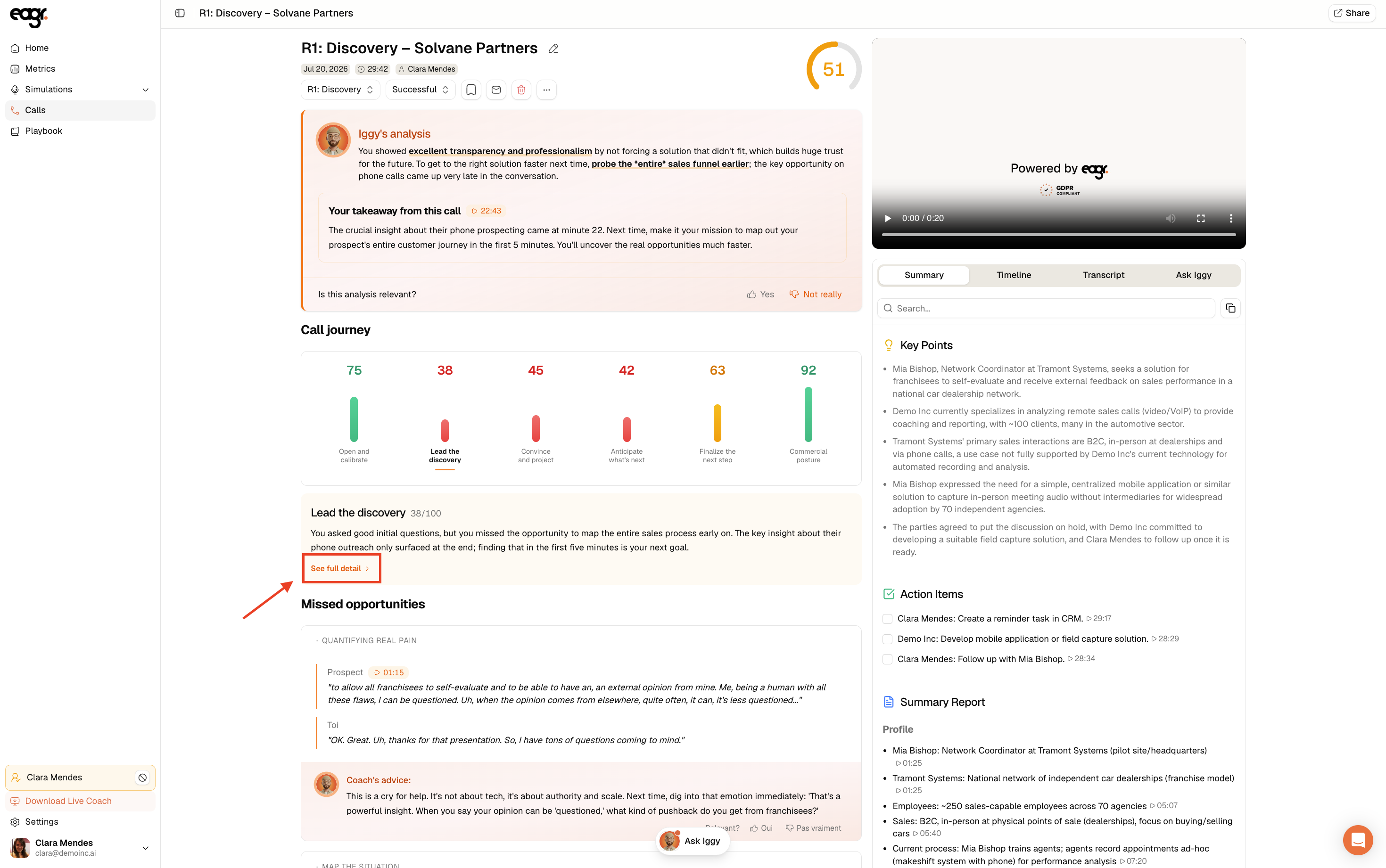
At the top of the page, Iggy's analysis gives you the essentials in a few lines: what you did well, your key takeaway and the next step to aim for. Just below, you tell it whether the analysis feels relevant with Yes or Not really. If the meeting type is wrong, you can reclassify the call; if the content feels off, you can report an analysis error.
The call journey
The Call journey block scores each skill from your playbook out of 100. The score at the top of the page is the weighted average of these skills: they don't all count equally, but the weightings aren't shown. To know more about them, email us at support@eagr.ai. Click See full detail to open the breakdown.
The full detail
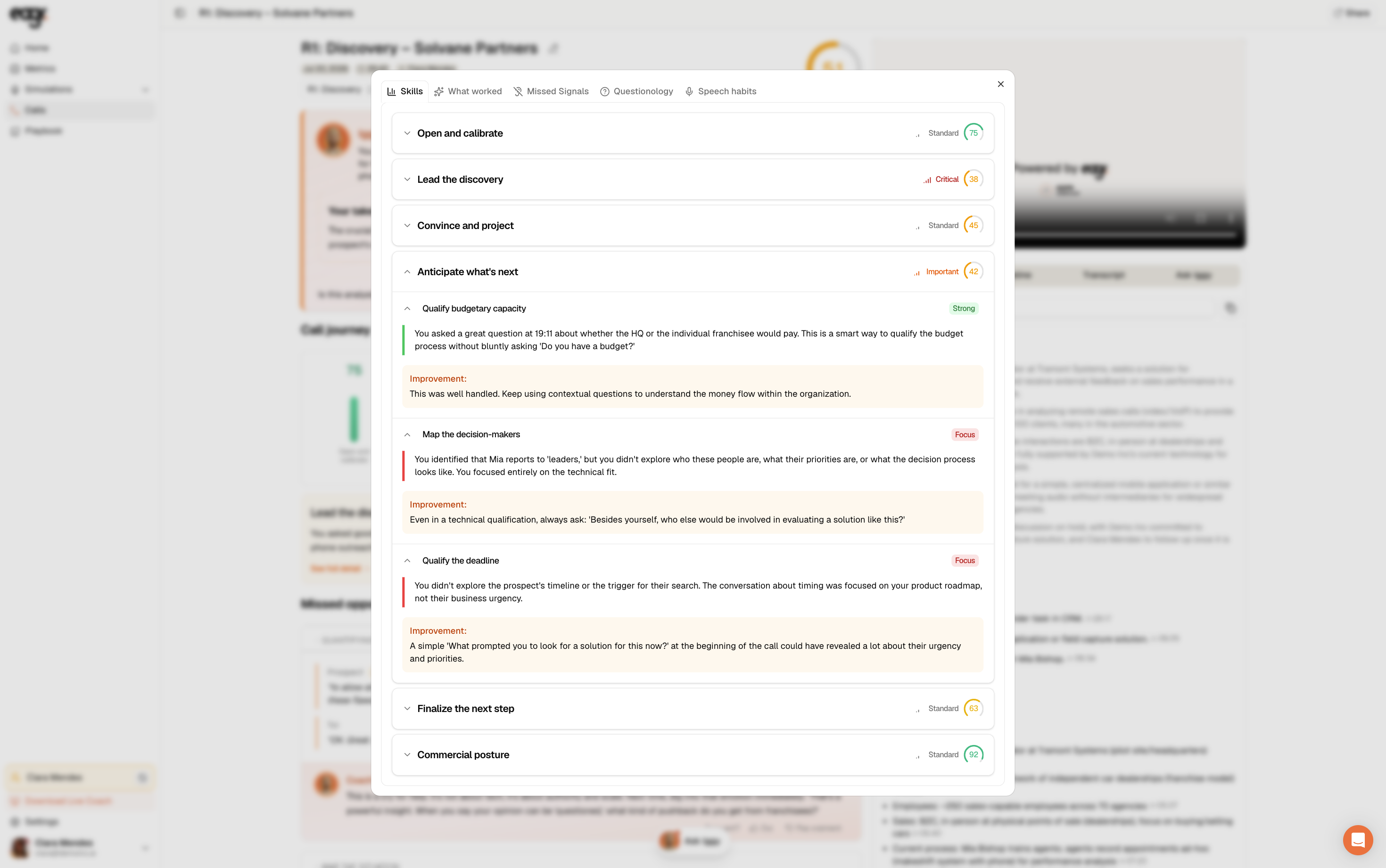
The detail opens in a window with tabs: Skills, What worked, Missed Signals, Questionology, Speech habits. In Skills, each technique is marked Strong (green) or Focus (orange), with the observation and an Improvement tip.
Missed opportunities
Further down, Missed opportunities replays precise moments of the call (what the prospect said, your reply) followed by the Coach's advice: what you could have done, concretely.
The summary, action items and transcript
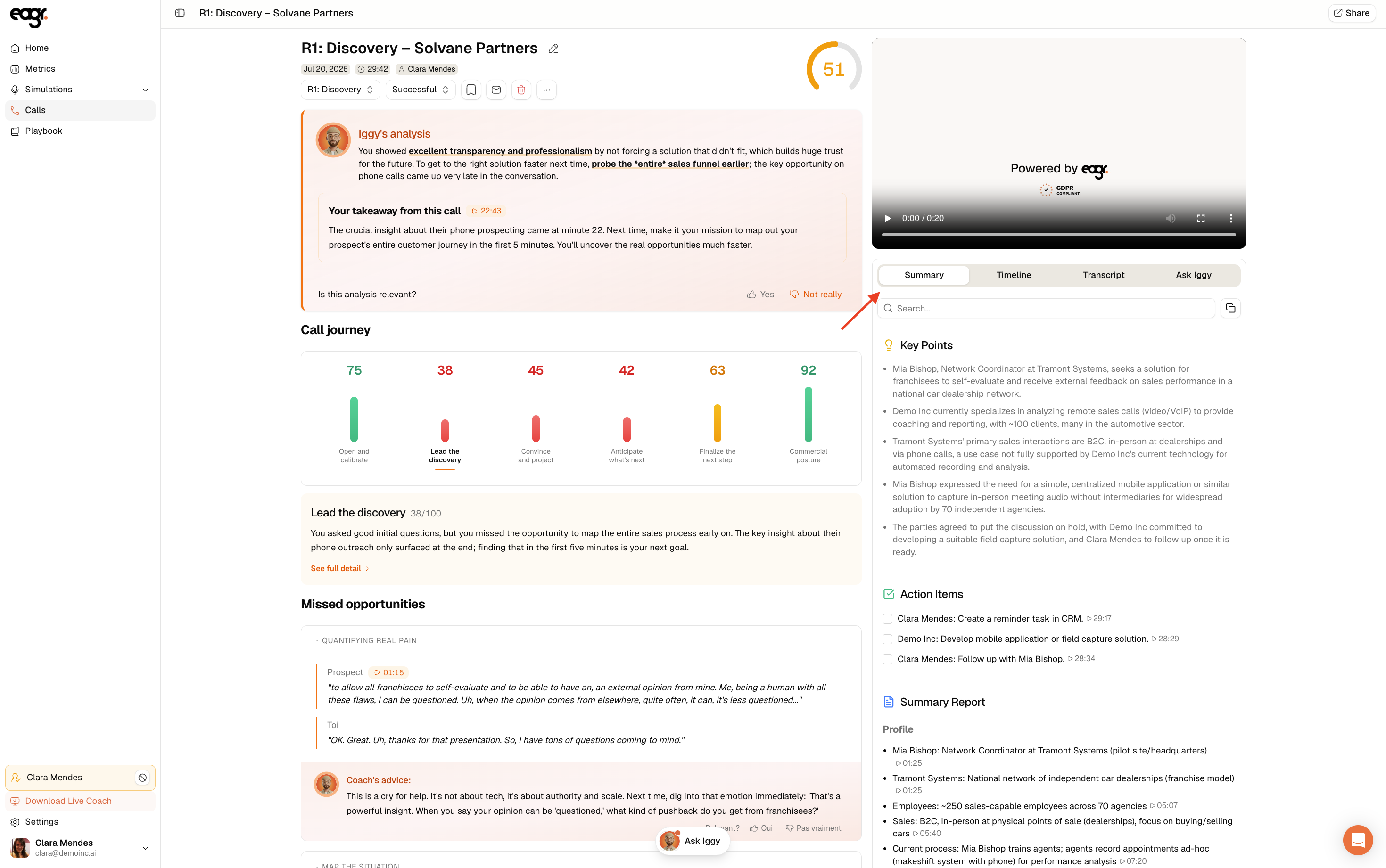
On the right, four tabs: Summary (key points, action items and the call report), Timeline, Transcript (the full verbatim) and Ask Iggy to ask questions about the call (see Iggy, your AI assistant).
Insights
If your organization has set up insights, you'll also find information extracted automatically from the transcript (for example the competitors mentioned during the call).