
A score feels unfair? A technique was mis-detected? You can tell Iggy directly: your feedback helps analyze your next calls better.
Before you report
First re-read How Eagr scores your calls and simulations. Often, what looks like an error isn't one: a competency not covered during the call isn't scored, and a Focus status flags something to work on, not necessarily an analysis mistake. If you still think the analysis got it wrong, report it.
Report an analysis right in the app
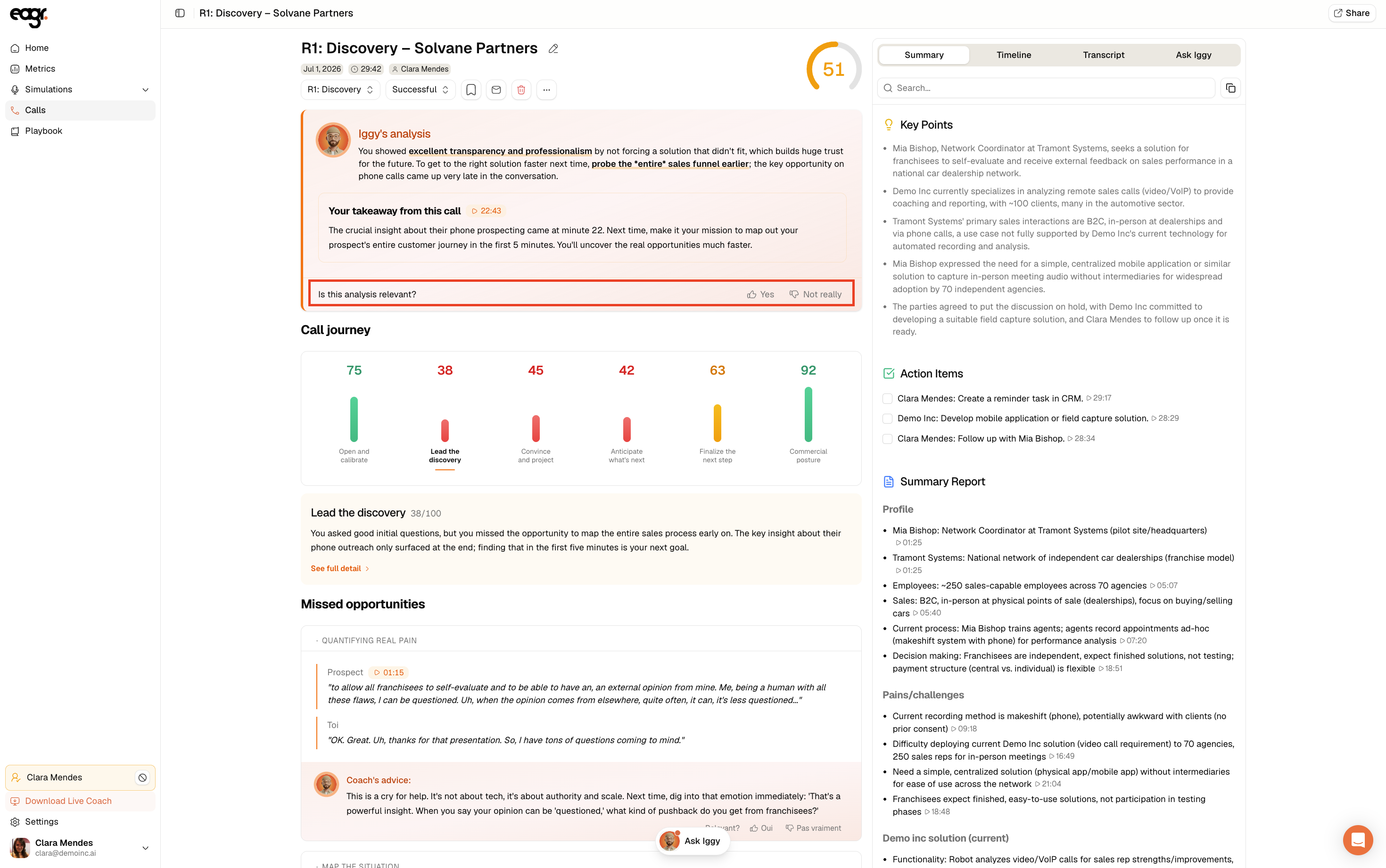
At the bottom of Iggy's analysis, you'll see "Is this analysis relevant?":
- 👍 Yes if the analysis is right
- 👎 Not really if something's off
Clicking Not really, Iggy asks "What did I miss?". Pick the matching category, write in a few words what's off, then click Send to Iggy:
- Transcription: a mis-transcribed passage
- Scoring: a score that doesn't reflect the call
- Missing info: an important element not taken into account
- Analysis: a wrong or off-target observation
- Insights: a wrong key point or action item
- Other: anything else
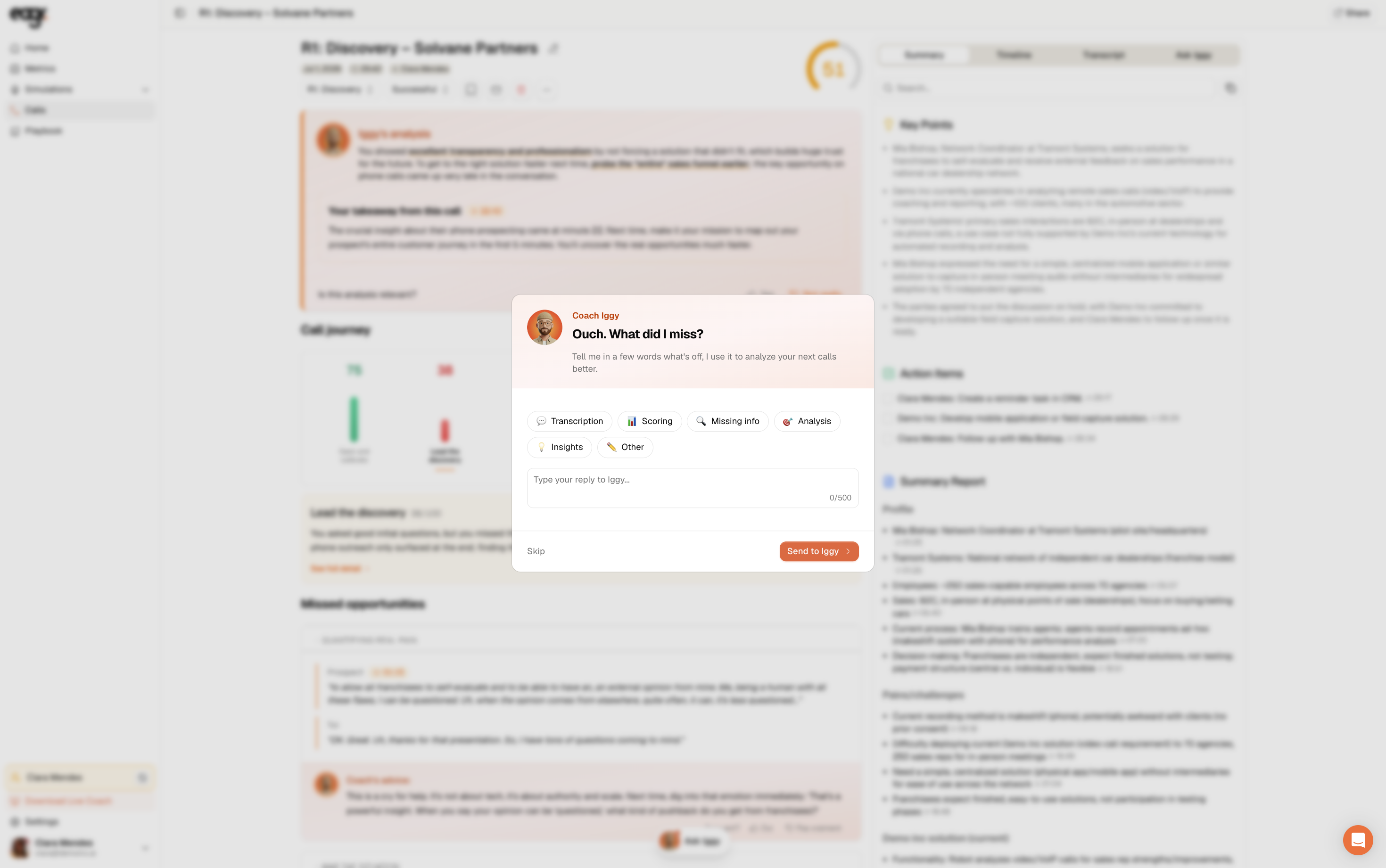
The more specific you are, the better: name the technique and what you expected. Iggy uses it to sharpen the analysis of your next calls.
Improving the framework
For a deeper playbook change (adding an objection, a method point that changed, a rule specific to a segment), email support@eagr.ai with the case described and one or two representative calls (copy the session URL). These changes are scoped with your team before they're applied.