
Want to share a call analysis with a colleague, your manager or someone without an Eagr account? Eagr generates a public link that gives access to the call, without signing in.
How to share
- Go to Calls and open the call.
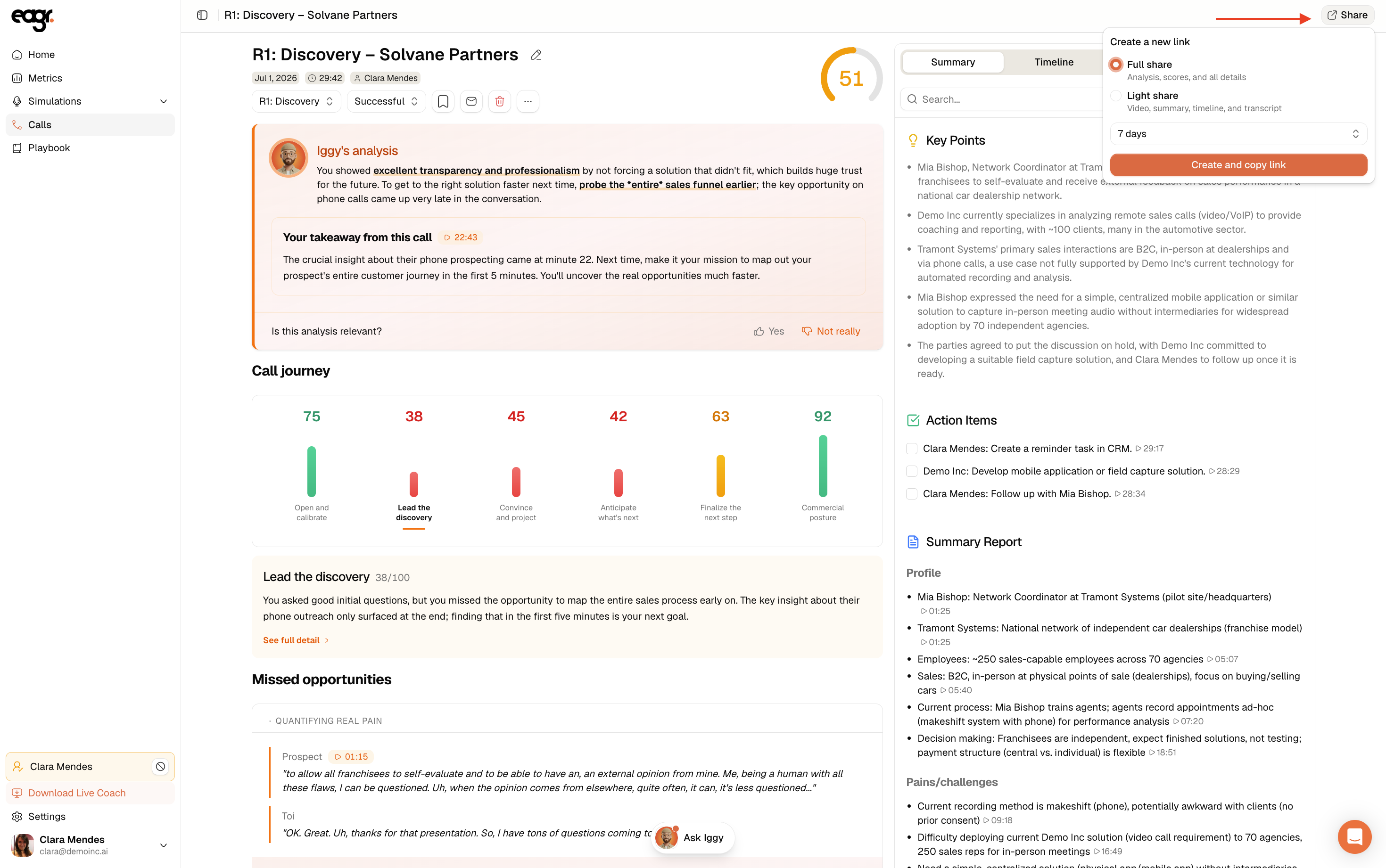
- In the top right, click Share.
- Under Create a new link, choose the link type:
- Full share: analysis, scores and all details.
- Light share: video, summary, timeline and transcript (without the scores or coaching feedback).
- Pick an expiry from the dropdown (for example 7 days).
- Click Create and copy link. The link is copied to your clipboard, ready to send.
Links you've already created appear under Active links, with their expiry date. You can copy them again or delete them at any time to cut off access.
What the recipient sees
- Full share: the complete analysis page: Iggy's analysis, the global score and per-competency scores, every tab (Summary, Timeline, Transcript) and the recording.
- Light share: a simplified view focused on the call content: the recording, the summary, the timeline and the transcript, plus Ask Iggy to ask questions about the call. Neither the scores nor the coaching feedback are visible.
Tip
Use light share to pass on a call's content (what was said, the key points) without revealing the rep's performance scores or coaching feedback.
Good to know
- All roles can share a call.
- Sharing only exists for real calls, not simulations.
- The recipient doesn't need an Eagr account; anyone with the link can open the analysis, so be mindful of what you share.
- The shared page's language adapts to the recipient's browser.