
There are two different situations behind "I can't see my call": either the call wasn't imported into Eagr, or it's there but classified as not relevant and hidden by default. Here's how to handle both.
Analysis isn't instant
A call that just ended takes a few minutes to be imported, transcribed and analyzed. If your call is less than 10 minutes old, give it time and refresh the page.
Case 1: The call isn't showing up at all
Go through this checklist in order:
- Does your identity match? Eagr links each call to you via your email for video calls (recorded by the Eagr bot) or via your number / extension for phone calls (through your call recording tool). If the identity differs (alias, another domain, wrong number), the call can't be assigned to you.
- Is the call long enough? Calls below a minimum duration (set by an admin, usually 1 to 4 min) are not imported.
- Is recording enabled in your tool? For telephony it's set per number; with no recording, there's nothing to analyze.
- Is the API key valid and admin-level? A key regenerated or revoked on the provider's side breaks the connection. A key created by a limited account only sees part of the calls.
- Is your tool's plan sufficient? Some tools (Claap, Sembly, Onoff…) require a paid plan to enable the API.
Connecting your call sources (the calendar for video meetings, your call recording tool for telephony) is an admin action, done once for the whole workspace. If several calls are missing for the entire team, it's almost always the API key or recording on the tool's side to check, not your account.
Case 2: The call is there but marked "Not relevant"
Eagr automatically files as Other / Not relevant any call that doesn't look like a sales call: very short, internal, HR, or outside your framework's segments. These calls are hidden by default.
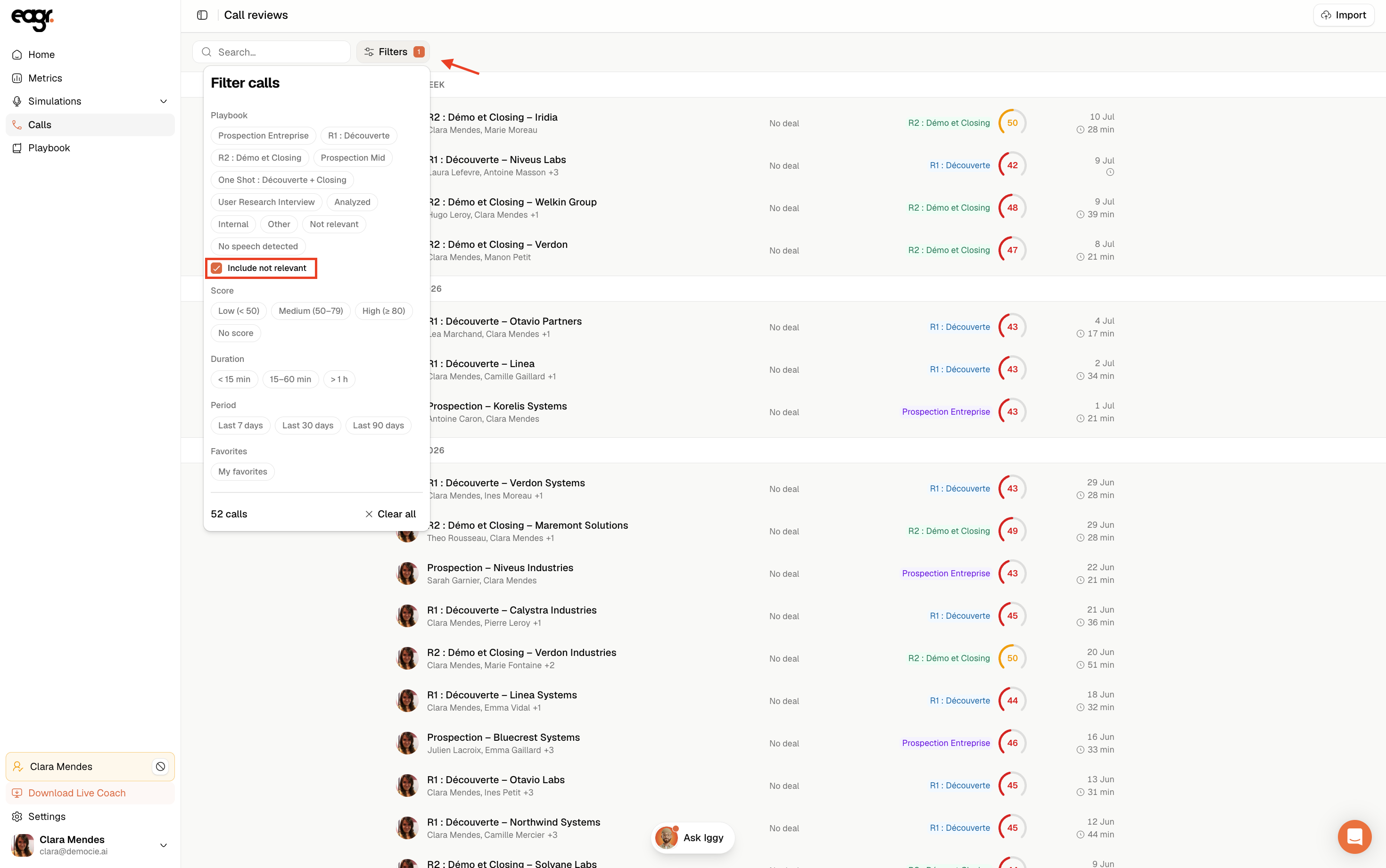
- In Calls, open Filters and check Include not relevant to show them.
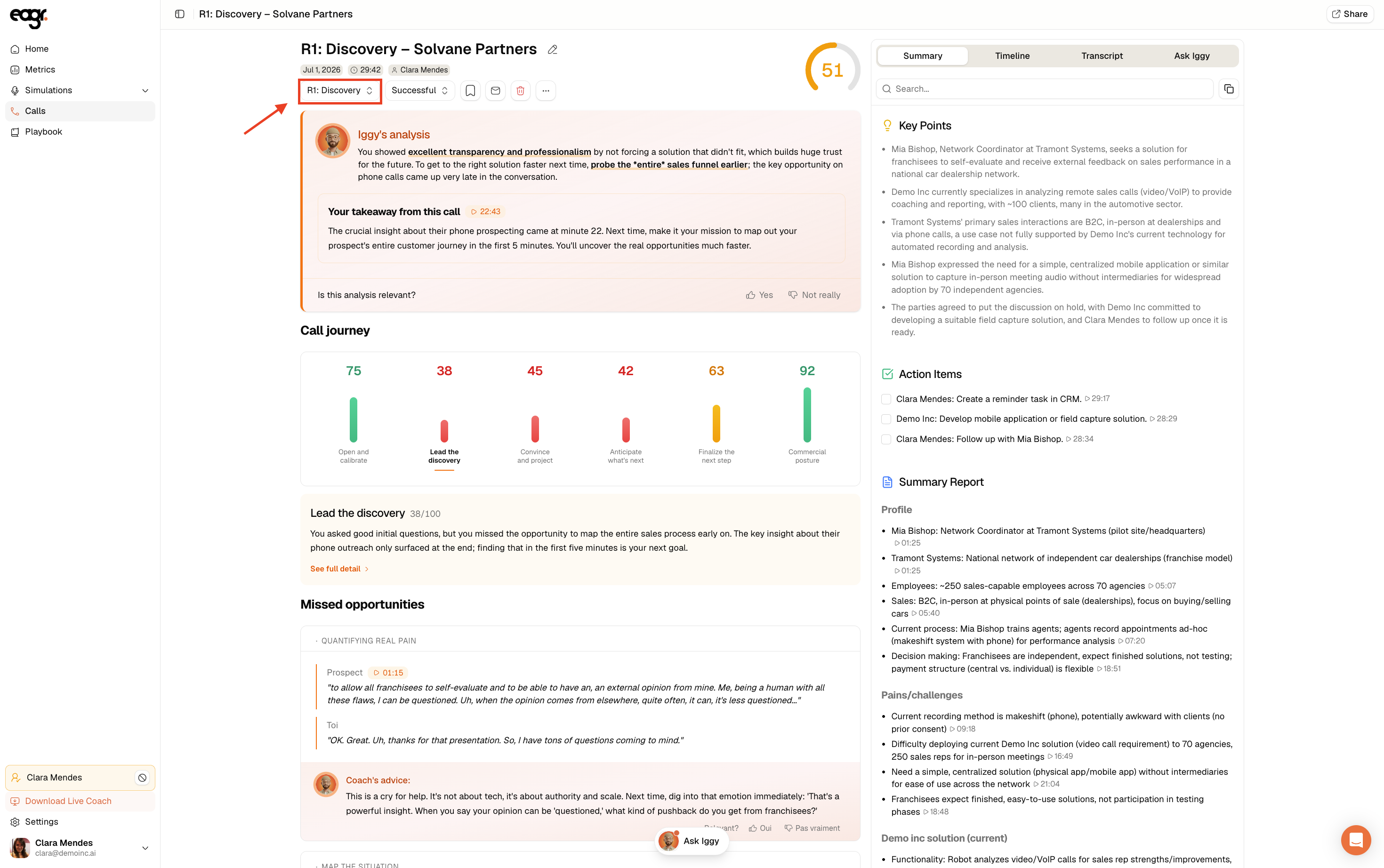
- Open the call: the dropdown under the title (the call's segment) lets you reclassify it into the right segment so it gets analyzed.
Filtering out internal / HR calls
If internal calls pollute your analysis, you can leave them as Not relevant: they stay out of statistics and coaching. That's the intended behavior.
Still nothing?
If a legitimate sales call is still missing after these checks, email us at support@eagr.ai with the date, time and prospect name, we'll find it for you.