
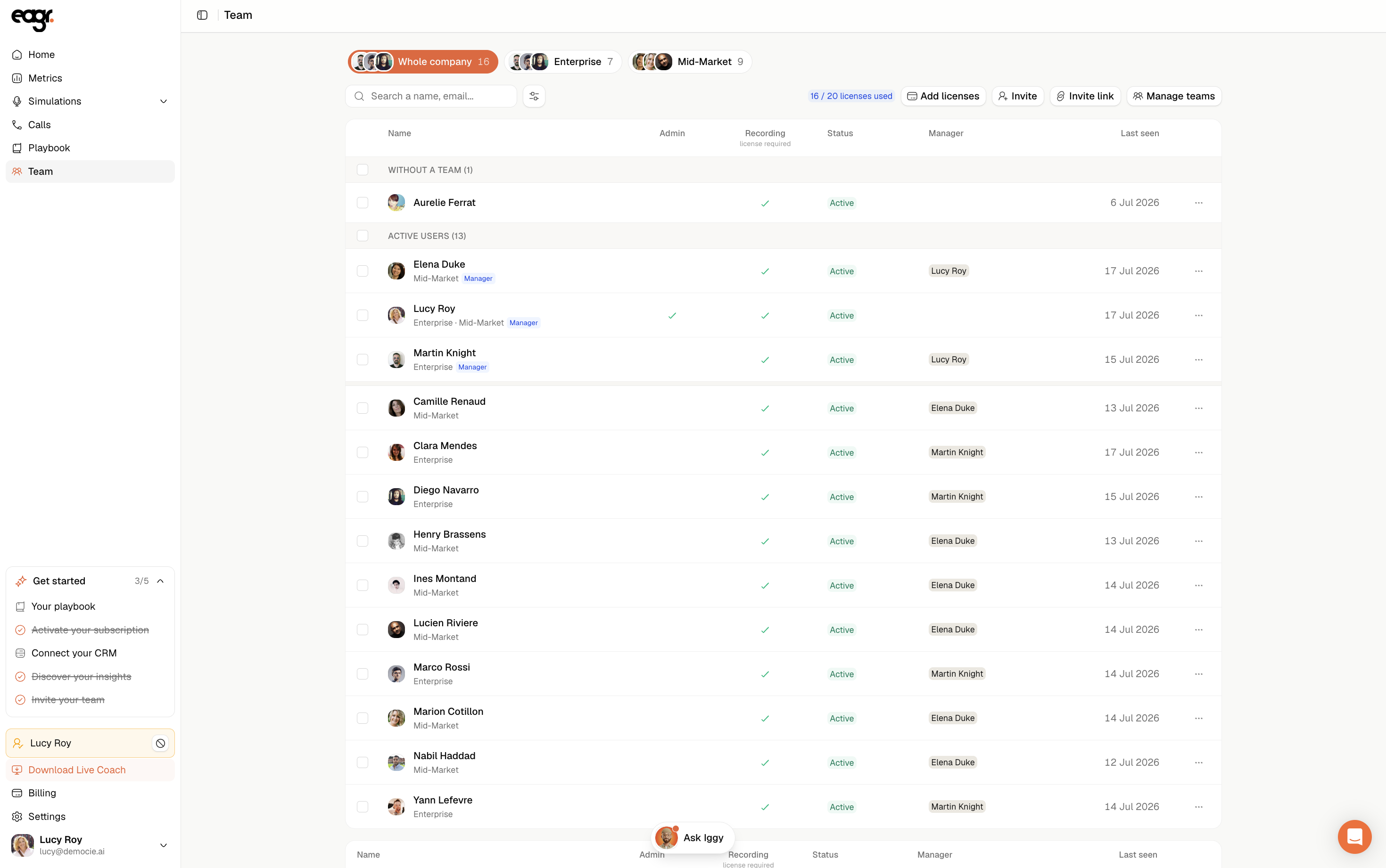
Every member of your organization has a license that decides whether their calls get recorded and analyzed. Only Admins can invite members and assign licenses, from the Team page (left menu).
Adding a member
Three ways a person can join your organization: invite them by email, share an invite link, or approve their request.
Method 1: invite by email
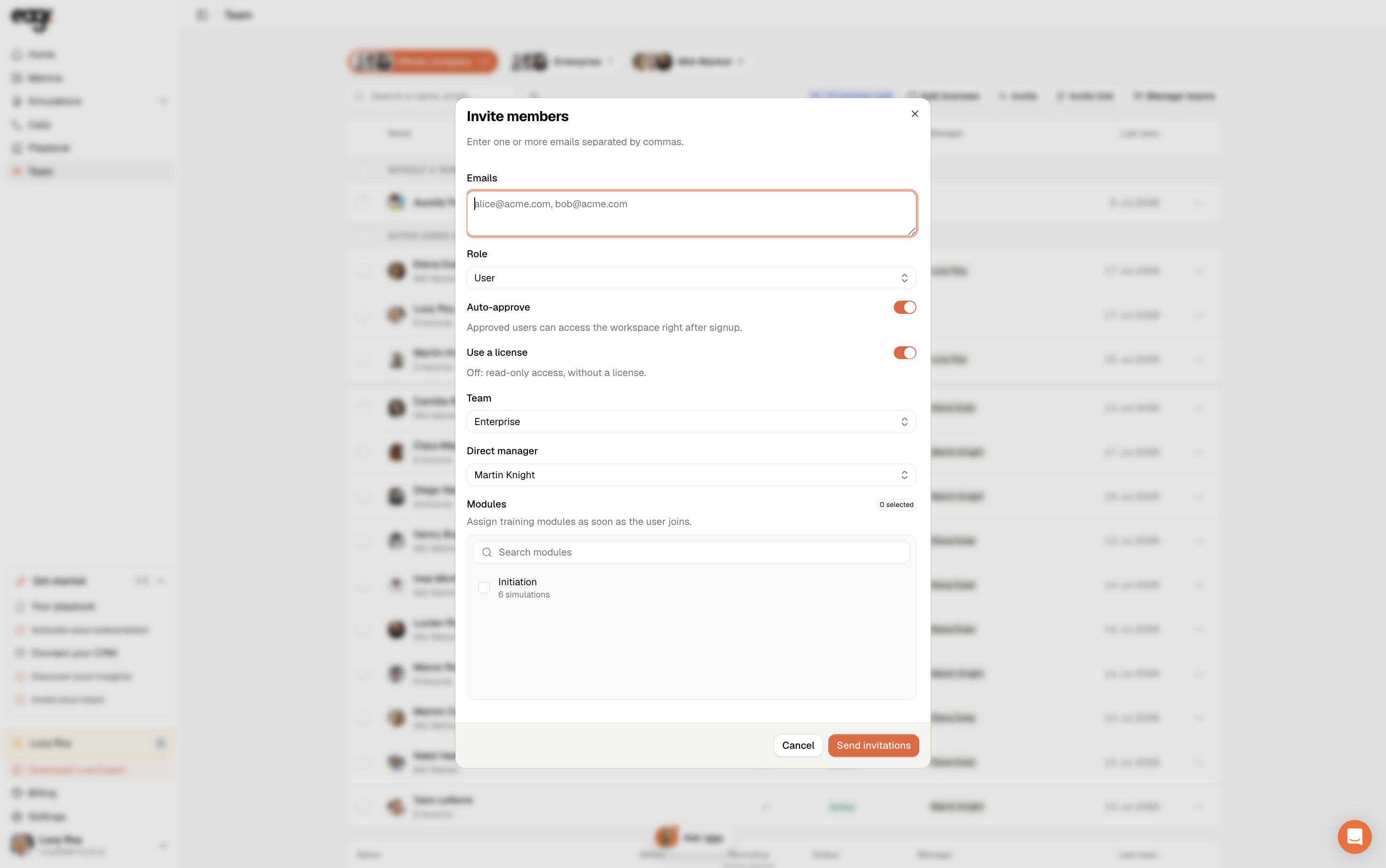
- On the Team page, click Invite (top right).
- In Emails, enter one or more addresses, separated by commas.
- Choose the Role: User for a standard member, or Admin for someone who will administer the organization.
- Set Use a license:
- On: a Recording license: Eagr records and analyzes their calls. Uses one paid seat.
- Off: read-only access, without a license (View-only). Free.
- If you want, set their Team, Direct manager and the training Modules to assign on arrival.
- Click Send invitations.
Method 2: share an invite link
The invite link lets several people join self-serve, without entering them one by one.
- On the Team page, click Invite link.
- Configure the link: Team, Direct manager, Auto-approve, Use a license, Label (optional), Max seats (optional), Expires in (days) and Modules.
- Click Generate a link and share it. People who join via the link get the User role.
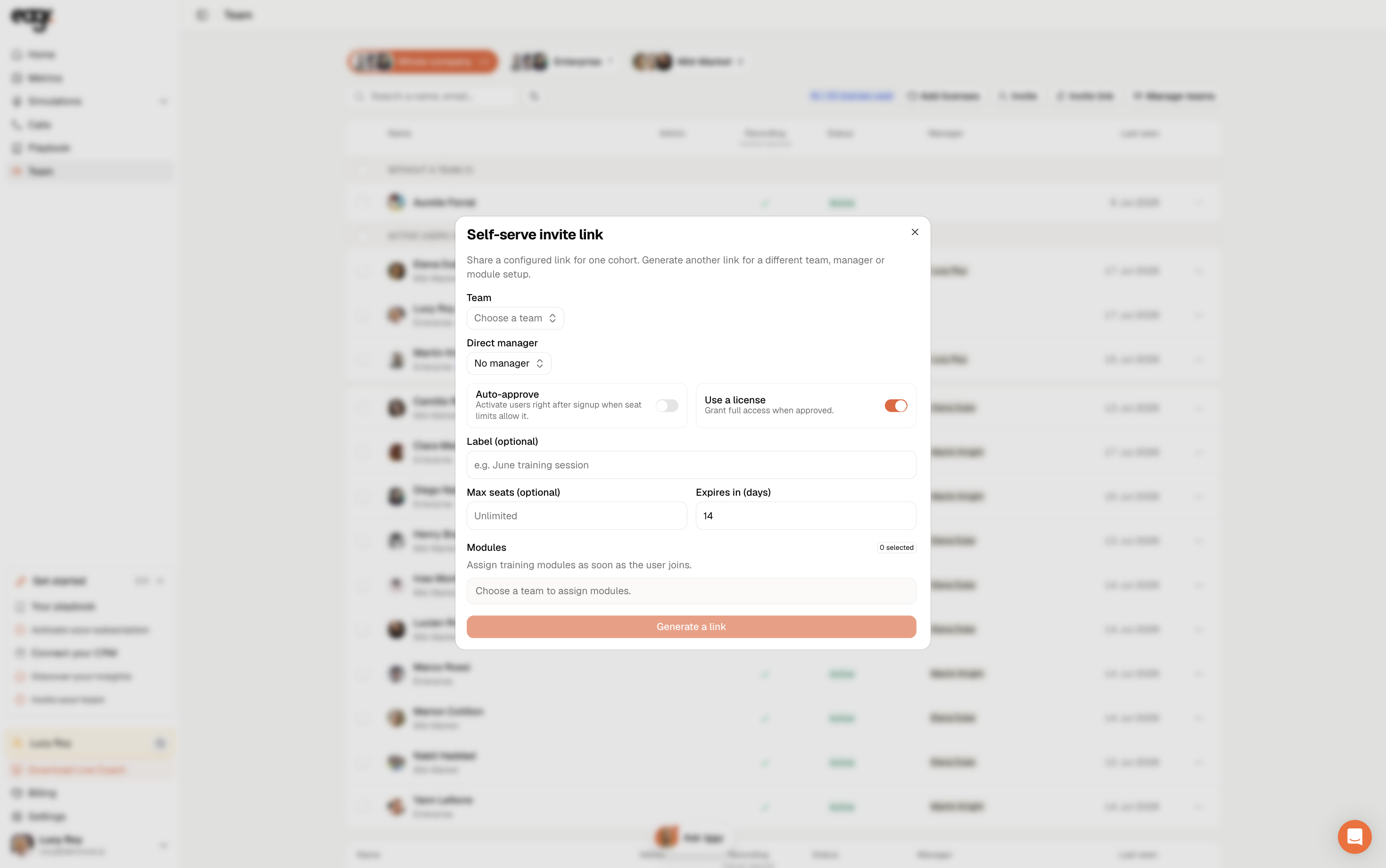
Generate another link for a different team, manager or set of modules.
Method 3: approve a request
When someone asks to join, they appear under Pending requests, at the top of the list. Click Approve next to their name, then choose:
- Approve with license: gives them a Recording license (uses one paid seat).
- Approve without license: gives them View-only access (free).
You can also click Reject to decline the request.
Editing a member later
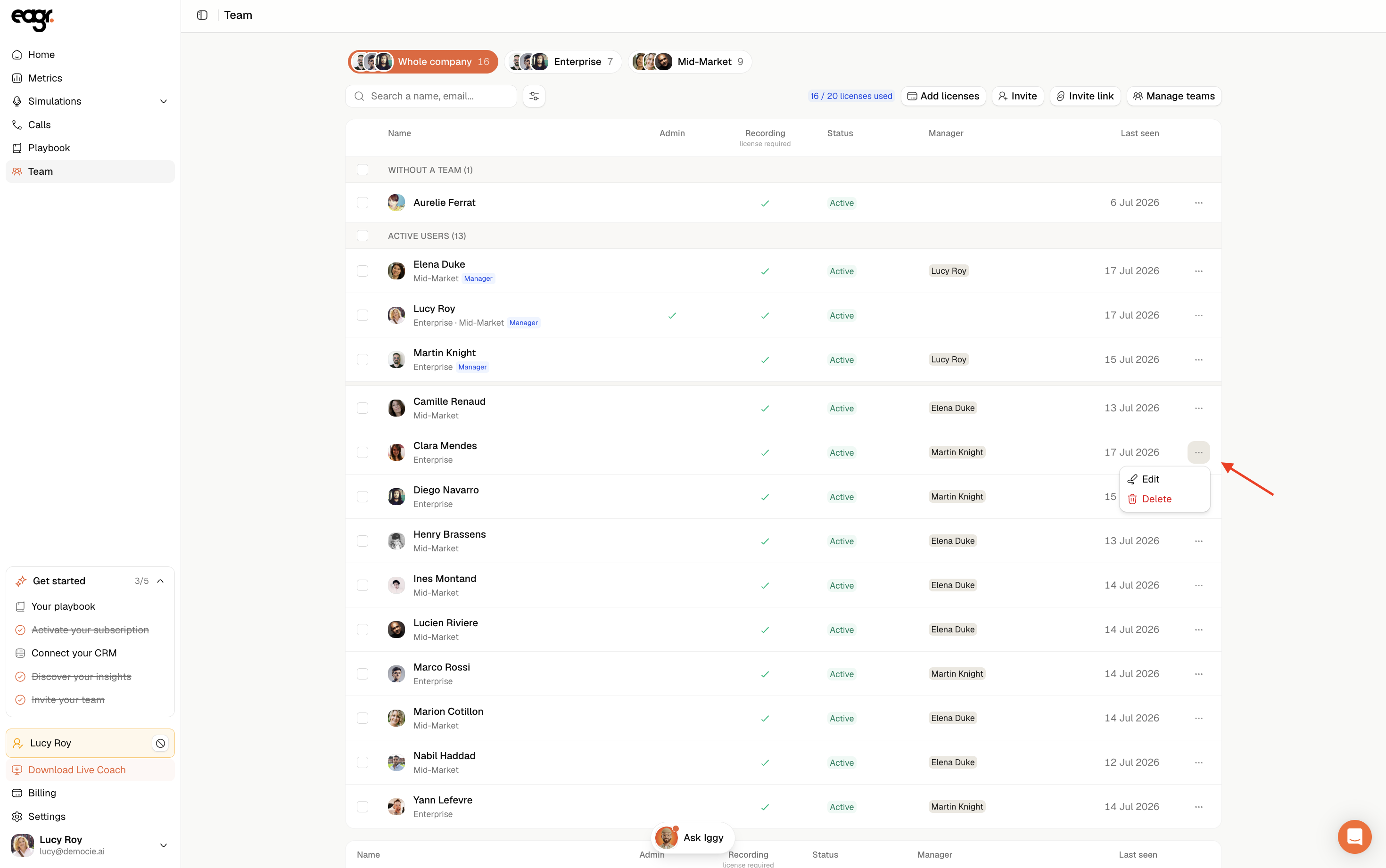
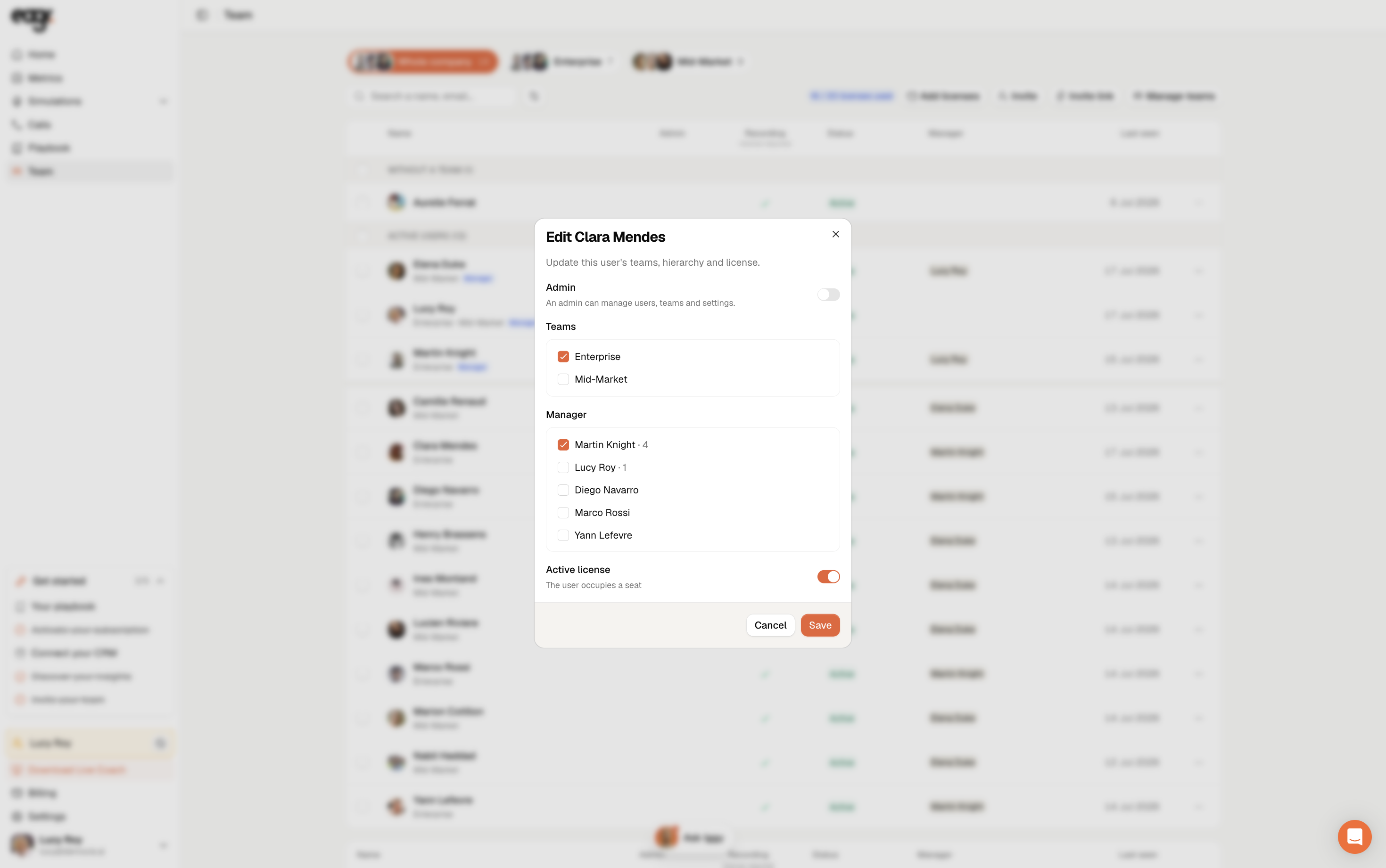
On the member's row, click the ··· menu, then Edit.
You can then:
- Toggle Admin: an admin can manage users, teams and settings.
- Set their Teams and Manager.
- Toggle Active license: on, the user occupies a paid seat; off, their access becomes View-only.
Click Save when you're done. The ··· menu also lets you Delete a member.
The two license types
- View-only (free): full access to browse calls, metrics and the Playbook, but Eagr never records or analyzes the member's own calls. Doesn't use a paid seat. Typically for managers or leadership who follow their team without making recorded calls themselves.
- Recording (paid): activates call capture: Eagr records and analyzes the member's real sales calls and unlocks the Live Coach. Uses one paid seat.
To check who has what, open Team: the Recording column shows who has a Recording license (checkmark) and who is View-only (no checkmark). At the top, X / Y licenses used shows how many paid seats are in use.
Give View-only (free) to managers or leadership who only need to follow their team's performance, and keep Recording licenses for the reps who are actively selling.