Revoke a user

What does revoking a user mean?

Revoking a user does not delete their account. It sets their status to Revoked, which immediately cuts their access to the platform. All their data (calls, scores, analyses) is preserved.

A revoked user can be reinstated later if needed.

Who can revoke a user?

Revocation follows your organization's hierarchy:

  • Manager: users in your team
  • Director: managers below you + their team members
  • Boss: anyone, including other Bosses
Tip

You cannot revoke your own account. If you need to leave the organization, contact support.

How to revoke a user

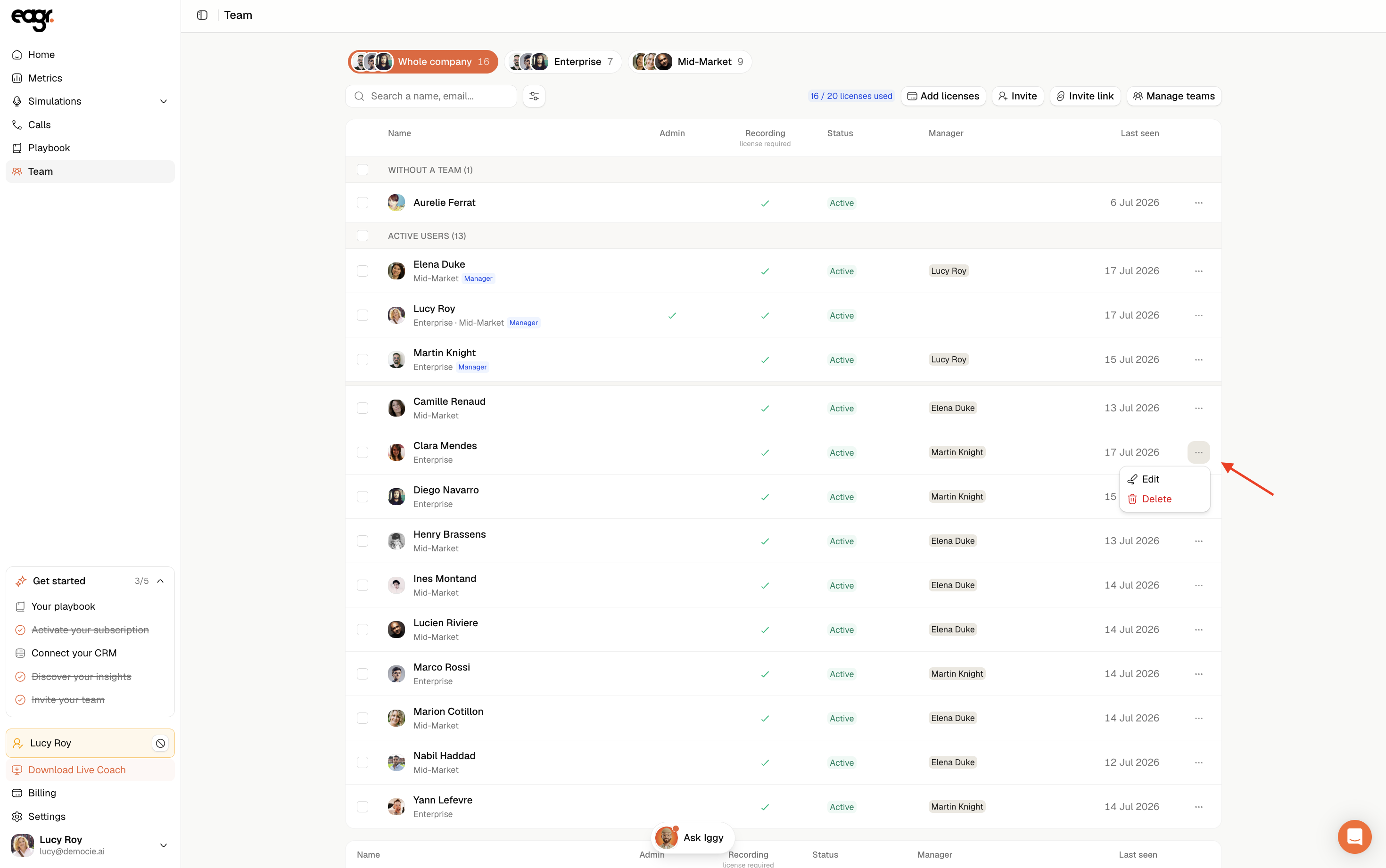
  1. In the left sidebar, go to Administration > Users
  2. In the User management section, find the user you want to revoke (you can use the search bar)
  3. Click the three-dot menu (⋯) on the right side of their row

Capture d’écran 2026-03-03 à 18.26.47.png

  1. Select Revoke User

Capture d’écran 2026-03-03 à 18.27.09.png

The user's status changes to Revoked and their active sessions are terminated immediately. They will be redirected to the login page.

Can I reinstate a revoked user?

Yes. A revoked user can be reactivated. Go to the same three-dot menu (⋯) on the revoked user's row and select Reactivate User.

What about permanent data deletion?

Revoking a user does not delete their data. If you need to permanently delete a user's data (calls, scores, analyses), contact the support team at support@eagr.ai.